1
HOW TO USE WEB CAMERA
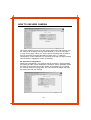
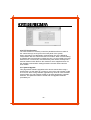
2.1 System Management
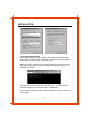
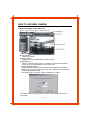
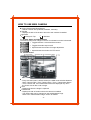
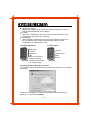
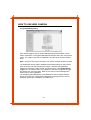
Click System Mgmt to set up System Management and Web Base Launch
Option information. The System Management sets the date, time, and system
name. The system name will be displayed in the title bar of the web camera
base.
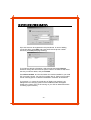
Note : Check the box next to Change if you want to change the date and time.
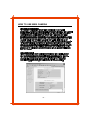
The Web Base Launch Option establises the default settings of web camera
base when the user first accesses the system : Window Size (640x480,
320x240,or 160x120), Audio On/Off, and Guest Login. If the Default Guest
Login box is unchecked, then only registered users who completed the login
procedures can use the system. Refer to the "User Account Management"
section for the user registration.
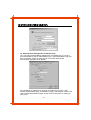
The sample System Management and Web base Launch Option settings
above show that web camera base will display the images with the size of
320x240, guest login is available, and audio is off.
- 16 -