1
46
WaveLink TelnetCE 1.0 User Manual
Chapter 6 Connection Settings
Connection settings affect a single named connection that has been
configured in the Connecting to Hosts dialog box. When you change
Connection settings from their defaults, they override corresponding
Emulator or Standard settings.
To configure Connection settings, take the following steps.
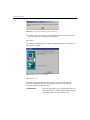
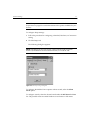
1 Select Connect from the Term menu.
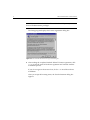
The Connecting to Host dialog box appears.
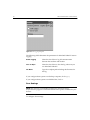
Figure 6-1. The Connecting to Host Dialog Box
2 Select the desired connection in the Select Connection field.
3 Click Edit.
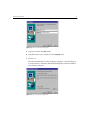
4 In the Edit Connection dialog box, click Advanced.
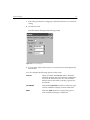
The dialog box (not shown) pertaining to the specified emulator appears.
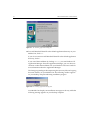
These dialog boxes resemble the dialog boxes that appear when you
configure Emulator settings. In addition to tabs for the specific emulator
type, the following tabs also appear: General, Font, Scroll, Beeps, Scanner
Options, and Symbology Options.
5 Select or type new values in the fields you want to change.