1
Section 2: Using the Network
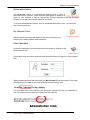
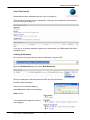
A confidential entry will not be viewable by any other user* looking at your calendar. It
will show as time blocked out but not specifically what for.
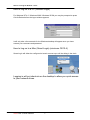
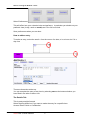
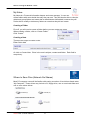
Participants Tab
Select any number of other users to have this entry show on their calendar as well.
Use the Ctrl or Apple key to select individual names.
By clicking on the select option, you can quickly add this event to the calendar of a
group of users
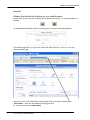
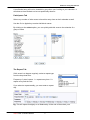
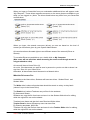
The Repeat Tab
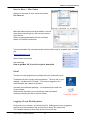
If this event is to happen regularly, select a repeat type
from the drop down box.
Frequency 0 =don’t repeat. 1 = repeat every time. 2 =
repeat every 2nd time etc
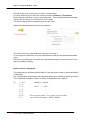
If you select to repeat weekly, you must enter a repeat
day.
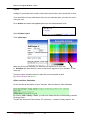
Eg. This will repeat fortnightly on a Wednesday ‘til the end of the school year.
Smart-Net 2.1 User’s Manual
9