1
EQUIPMENT:
FIRECLASS PRECEPT EN
WRITTEN BY: RKP
PUBLICATION:
FIRECLASS PREC EN INST
CHECKED BY: AP
ISSUE No. & DATE:
0
09/03/12
16.3
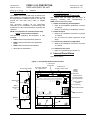
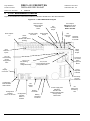
C1651 Clock Module PCB Features
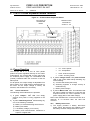
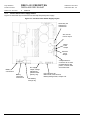
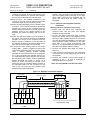
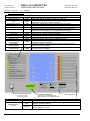
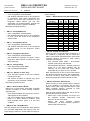
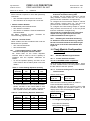
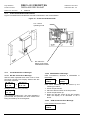
Figure 14 llustrates the PCB features referred to elsewhere in the documentation
Figure 14 – C1651 Clock Module PCB
LK1 - Select
operating mode
DIL switch S1 Select config mode,
reset/disable counter
16.4
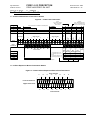
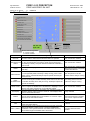
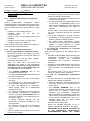
Clock Module Error Messages
16.4.2 EEPROM Error Message:
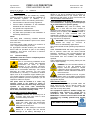
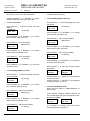
16.4.1 WP DIL switch Error Message:
WP DIL switch operated when timer is not in Timer
Set Mode, Normal Time Display flashes with WP
DIL switch message:
HH:MM:SS
HH:MM:SS
or
D/N ON
D/N OFF
Changes to (pulses every second):
WP DILSW
IS ON
The backlight remains OFF. The panel indicates a
general fault and prevents the clock module from
being accessed by the user/engineer.
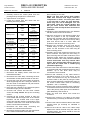
Data inconsistency detected in EEPROM0 or
EEPROM1:
EEPROM 0
EEPROM 1
or
ERROR
ERROR
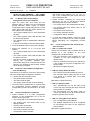
Note: Both EEPROMs can be erased by the
following procedure:
1. Power the panel down
2. Place the WP DIL switch in the ON position
3. Power the panel back up.
4. Return the WP DIL switch to the OFF position
when the display is as described in 16.4.1
above.
16.4.3
ROM Checksum Error Message:
Internal ROM Checksum failed:
ROM FAIL
ERROR
PAGE 28 of 31