1
Step 6. Plan Display Points
In order to plan display points, you must think about what data you want to collect from
the tracking model and how you want to present it in CimView displays and scripts. Data
can be displayed on screen at a main operating station and at workstations on the plant
floor to provide operators with runtime information about the product during production.
To plan display points:
Keep in mind all of the following when planning your display points. We follow up with
some examples for your reference.
The kind of information needed at workstations on the plant floor and at main
interface stations.
The type of display needed for information: graphic or text representation.
When to generate alarms when certain production conditions exist.
The placement of detainment regions, e.g. shifting regions may need user-configured
detainment regions.
How to standardize your displays with consistent features. Keep in mind all of the
following:
Function buttons reside in the same place on each screen
Color scheme
Font
Language for column heads, buttons, products, machinery, etc.
Screen size and geometry.
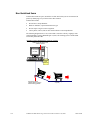
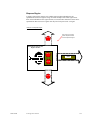
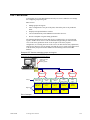
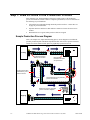
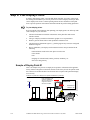
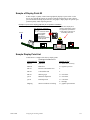
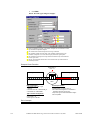
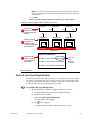
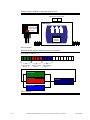
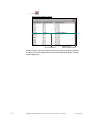
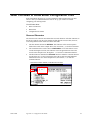
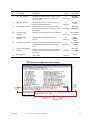
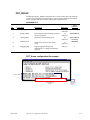
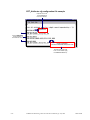
Sample of Display Point #1
Here is an example of a point set to display at an operator's workstation in the appliance
factory. When a refrigerator comes down the line on the conveyor belt, the operator reads
the CimView screen that tells him if an electrical unit is required. This particular display
uses text only.
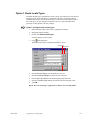
Example of a point set to display at an operator workstation in production
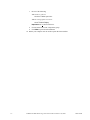
Sensor
Point set to display at an
operator's workstation.
When the value is 0, the
refrigerator needs an
electrical unit added
Refrigerator-Model 899
ID #049667796
Electrical Unit
Installed = No
Electrical
Units
3-10
CIMPLICITY HMI Monitoring and Control Products Manual –July 2001
GFK-1694B