1
Dec 2013
DoudouLinux version 2.1
214/221
[https://mail.gna.org/listinfo/doudoulinux-docs/]. This way problems and issues
can be easily shared between all team members. Additionally, once you have an
account on DoudouLinux.org to translate web pages, you can send Spip internal
messages to other contributors and comment articles internally. The only
drawback is that this is internal: contributors who do not get connected do not
know about these messages…
What skills are required?
You need to speak fluently one of the source languages; that is, one that is
already translated, such as, English, French, Russian or other. And of course
you need to speak fluently the language you are translating into. This is better if
you also have a computing background because some parts may be a little bit
technical, even if we try to avoid this. For text edition, all is text but this is again
better if you have ever used a content management system (online blog
software, wiki, etc.). But do not worry, we try to keep it simple for DoudouLinux
internals too!
How technical should be my translated texts?
Low! Of course the CD targets children, so you must take care to remove any
technical language from it. You should also take care to avoid references to
computer history, such as “a clone of stuff ”. Concerning web pages, our target
is the standard family, not computer science graduated people! So please take
care to use technical language only when strictly necessary. For example, try to
speak of “autorun CDROM” instead of “LiveCD”, of “computer environment”
or “computer system ” instead of “operating system”. We should not suppose
that our visitors have ever heard of LiveCD’s and even less of Linux. Yes, sadly,
this is the truth :(
Finally, on the home page you are invited to use correct language but close to
spoken speech (and without any technical words!). For example, you may use
pet names such as “compy ” for “computer” or “Dad, Mum” for “Daddy,
Mummy ” whenever available in your language.
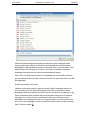
What software can I use to translate, especially under Windows?
Well you need a good web browser, a good text editor which supports UTF-8
encoding [2], plus optionally a PO file editor. As Windows has none of these ;-),
we recommend using Notepad++, PoEdit and Mozilla Firefox which has built-in
spellchecker for online forms. Be sure to have set the UTF-8 encoding as the
default in Notepad++. Moreover, if you still do not feel comfortable while editing
long web pages, you may be interested in using the Firefox extension It’s all
text. You will then be able to edit pages from within any standard text editor.