1
User’s Manual of Board ET-BASE AVR EASY32U4
How to install Program Arduino
It is more convenient for user because ETT provides CD-ROM
that includes Program Arduino as file and it is ready to install
completely; it includes examples of Board ET-BASE AVR EASY32U4.
In case of Program Arduino, if there is the latest version,
customers can download it from website www.arduino.cc. The method
to install Program Arduino is described below;
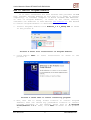
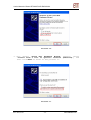
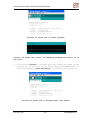
1. Install Program; double-click Arduino_1.0.1_Setup.exe as shown
in the picture 8.
Picture 8 shows file installation of Program Arduino.
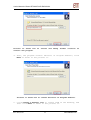
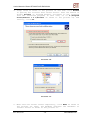
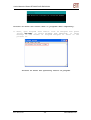
2. Click Button
picture 9.
Next
to
start
installation
as
shown
in
the
Picture 9 shows when it starts installing program.
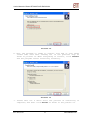
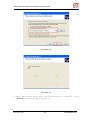
3. Now, user has to setup folder location to install Program
Arduino; user can choose any preferable location or install
program according to the Default Value that is C:\Program
Files\Arduino 1.0.1. Then, click Next as shown in the picture
10.
ETT CO.,LTD
-7-
www.etteam.com