1
CONTROLLED STRAIN LOADING TESTING
© 2013 Geocomp Corp.
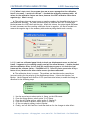
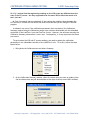
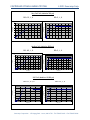
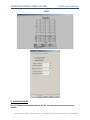
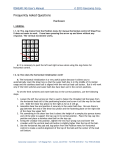
Note that the Node IDs shown in the examples above are the default values set at the
factory when the equipment was shipped. If the node ID numbers do not match, you will
need to make whatever change is needed so that they do match. A number can be changed
on the Hardware Setup window by simply typing in a different number and then clicking
Apply. To change the Node ID on a hardware unit, select the Node ID option on the System
Setup menu. (See your hardware User Manual for details.)
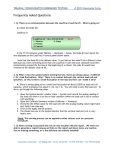
II-2. Q: We have several units connected to the same PC. We were running only one of
the units, so we shut off the ones we were not using. Then we got an error message
stating that the unit we had left on was not responding. It seems that we lost
communication. What is happening?
A: A temporary loss of communication is normal when you either shut off or boot up any
system unit connected to the same network. Whenever a unit connected to the network is
powered down or powered up, the network goes into a re-configuration mode during which no
communication is allowed. Depending on how many other units are on the network, this
process may take some time. If the software checks connections while the process is going
on, you will get the “not responding” message. If not, no message will appear. Should it
appear, simply wait a short period of time and then click the Retry button. Everything should
be back to normal.
II-3. Q: The Network LEDs are blinking on the front panel of both the LoadTrac-II unit and
the FlowTrac-II unit. There is no communication between the PC and either unit. All of
our ID numbers are correct. What else should we check?
Geocomp Corporation · 125 Nagog Park · Acton, MA 01720 · Tel 978-635-0012 · Fax 978-635-0266