1
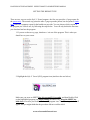
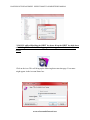
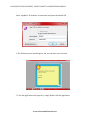
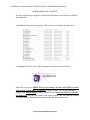
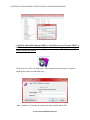
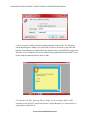
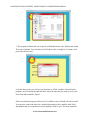
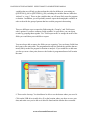
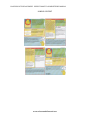
LOCATION OF THIS DOCUMENT: USER’S TOOLKIT COMPLETE PDF MANUAL SETTING THE REPORT TYPE There are two ways to use the Safe N’ Sound program: the first way provides a 3-page report for the parent only. The second way prints the same 3-page report the parent, but also prints a fourth page which is a summary report for the health care provider. You can choose which version of the program you’d like to use, by following the steps below. You will only do this the first time you download and use the program. 1. If you are on the survey page, shut down / exit out of the program. This is what you should see on your screen. 2. Highlight the Safe N’ Sound (SNS) program icon (similar to the one below). Make sure you press on SHIFT first (for around 5-10 seconds), and then Double Click on the highlighted program icon while holding the SHIFT key. Keep the SHIFT key held down even after you Double Click on the program icon. The following window will appear and you might think that the procedure did not work but it did. www.safensoundallaround.com