1
Smartphone User Manual
65
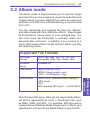
3.2 Album mode
The Album mode of Camera allows you to view the image
and video files you have captured, as well as audio files and
images/videos you have obtained from other sources such
as E-mail, a mini SD card, infrared beaming, or synchronized
from a PC.
You can manipulate and organize the files into “albums”
and slide shows with fancy transition effects. View images
as thumbnails in various sizes, or in an enlarged view. You
can zoom in/out, flip horizontally or vertically, rotate, sort,
associate files, and more. In addition, if you connect to a
server with media content via the Internet, Album can play
the streaming media.
Supported File Formats
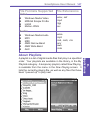
JPEG (.jpg, .jpeg, .jpe); GIF (.gif, .giff);
Bitmap files (.bmp, .2bp, .wbmp, .wbm)
Animation
format
Animated GIF
Video format
Motion-JPEG AVI (.avi)
MPEG-4 Simple profile (.mp4)
3GPP – H.263 baseline (.3gp)
Audio formats
MPEG-4 AAC (Advanced Audio Coding) in
.MP4 format
WAV
MIDI (standard MIDI type 0, 1, and SP-MIDI)
Note that some file types, although not supported by Album,
will still be represented as icons in Thumbnail View, such
as WMA, WMV, and MP3. For example, MP3 files will be
represented as Windows Media Player icons in Album, and
selecting the icon will invoke Media Player to play the file.
3. Using your
camera
Still-image
formats