1
Руководство пользователя
GeoScan32
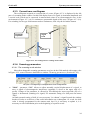
4.4.2. Enter photo labels and “Video” panel
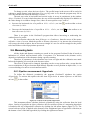
In addition to the common labels, program GeoScan32 provides an opportunity to enter
photo labels which are different from the original labels in the fact that they are accompanied by a
photo.
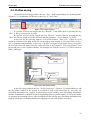
First, it is necessary to connect video camera to the USB computer port and to install a
proper driver. The connection order of a camera to PC and driver installation are usually described
in the documentation for a video camera. Upon connection it is necessary to start up a scanning
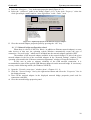
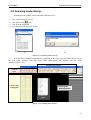
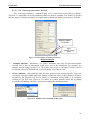
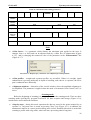
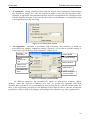
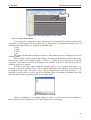
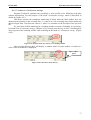
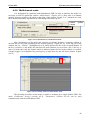
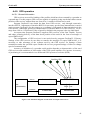
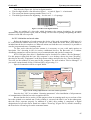
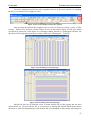
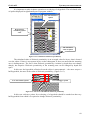
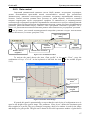
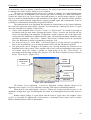
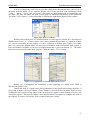
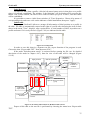
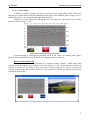
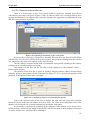
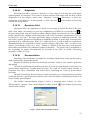
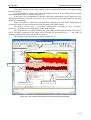
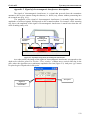
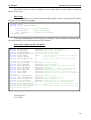
mode and to open the panel “Video” (Figure 4.4.7), by pressing the key of the same name in a
scanning window (Figure 4.4.6).
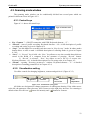
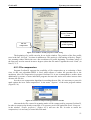
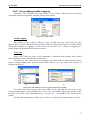
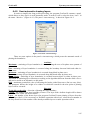
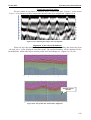
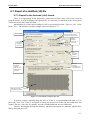
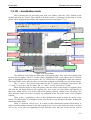
Obtained display
Change of
photos
parameters
Key of saving photos
into a file
Indicator of availability
of connection with a
camera
Camera selection panel
Autolabels parameters
Create new
photo label
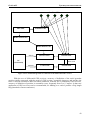
Figure 4.4.7. “Video” panel
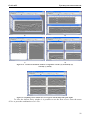
It is the video panel that allows to accomplish photo labeling. After its opening the
connection with a camera is installed automatically that is conformed by a tick against the caption
“Connect” Selection of the used video camera (if more than one camera is attached to PC) is
performed in a drop-down list in Figure 4.4.7 – the camera selection panel. The key “Ph-mark” or
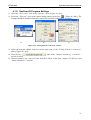
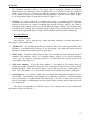
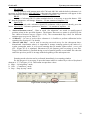
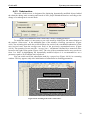
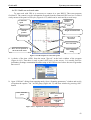
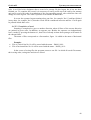
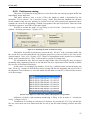
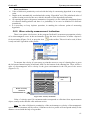
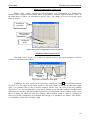
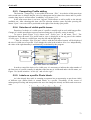
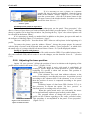
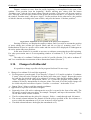
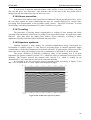
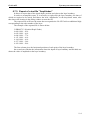
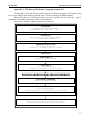
the Key “A” in the keyboard is used for photo labeling. The key «Size» allows to call the window
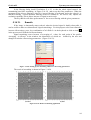
позволяет вызвать окно «Image size selection» (Figure 4.4.8), in which the size of the saved
images and their quality is set. The key «File» allows to save the graphic file with a current image
apart from a radarogram.
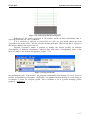
Figure 4.4.8. Frame settings
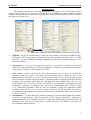
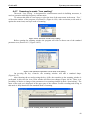
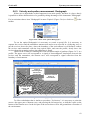
In addition to a single label setting there is a mode of “Autolabel” in which photo labels are
set automatically with an interval equal to a step which is set by the user.The mode will be switched
on if you put in a tick mark against the word “Autolabels” (Figure 4.4.7), a step is set in the
window “Step(m)”. The proper functioning of this mode is provided only when a odometer is under
operation.
38