1
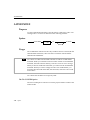
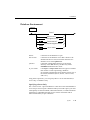
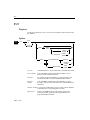
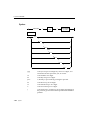
DECLARE
Insert Cursor
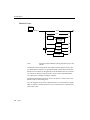
An insert cursor increases processing efficiency (compared to embedding the
INSERT statement directly). The insert cursor allows bulk insert data to be
buffered in memory and written to disk when the buffer is full. This process
reduces communication between program and database server and increases
the speed of the insertions.
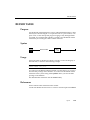
Cursor Characteristics
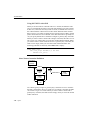
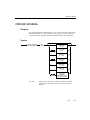
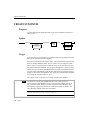
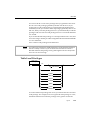
Structurally, you can declare a cursor as a sequential cursor (the default
condition), a scroll cursor (using the SCROLL keyword), or a hold cursor (using
the WITH HOLD keywords). These structural characteristics are explained in
the following sections.
Sequential Cursor
If you use only the CURSOR keyword in a DECLARE statement, you create a
sequential cursor, which can fetch only the next row in sequence from the
active set. The sequential cursor can read only through the active set once
each time it is opened. If you are using a sequential cursor, on each FETCH,
the database server returns the contents of the current row and locates the
next row in the active set.
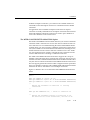
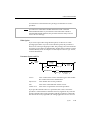
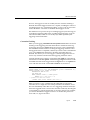
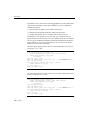
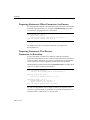
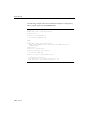
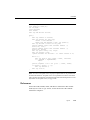
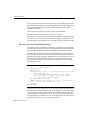
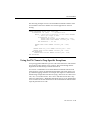
The following INFORMIX-ESQL/C example creates a sequential cursor:
exec sql declare s_cur cursor for
select fname, lname into :st_fname, :st_lname
from orders where customer_num = 114;
Scroll Cursor
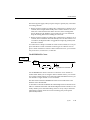
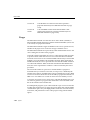
The SCROLL keyword creates a scroll cursor, which you can use to fetch rows
of the active set in any sequence. The database server implements a scroll cursor by creating a temporary table to hold the active set. With the active set
retained as a table, you can fetch the first, last, or any intermediate rows as
well as fetch rows repeatedly without having to close and reopen the cursor.
These abilities are discussed under the FETCH statement (see page 1-194).
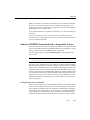
The database server retains the active set for a scroll cursor until the cursor is
closed. On a multiuser system, the rows in the tables from which the activeset rows were derived might change after a copy is made in the temporary
table. If you use a scroll cursor within a transaction, you can prevent copied
rows from changing either by setting the isolation level to Repeatable Read
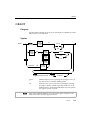
Syntax
1-149