1
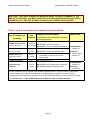
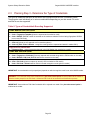
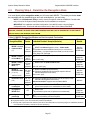
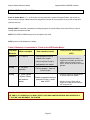
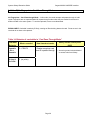
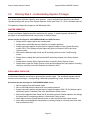
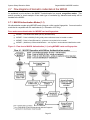
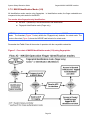
System Galaxy Biometrics Guide Sagem MA520 & MIFARE Interface 1.2 Overview of System Features & Capabilities 1.2.1 Able to encode MIFARE cards to work with Sagem 520 readers System Galaxy allows the customer to choose which card output format to use. System Galaxy can encode the Data/Clock (ABA) Card Serial number onto the MIFARE (recommended). SG also supports user‐defined ABA and 26‐bit Wiegand ID’s. 1.2.1.1 Ordering ~ Part Numbers for Compatible MIFARE cards Table 2: Compatible MIFARE Cards MIFARE Card – for MA520/521 readers ** (SG uses 1 application area) MIFARE 13MHz card 1k card **Contact Galaxy Customer Service for ordering information 800-445-5560. 1.2.2 Able to Enroll and Encode Fingerprints onto MIFARE cards System Galaxy allows customer to choose where fingerprint templates are stored. Galaxy can encode fingerprint templates onto the MIFARE card, or can load fingerprint templates into the reader. It is possible to have a mixture of credentials using prints‐only, or cards with prints in reader, or prints on cards, or any combination. Fingerprint templates are also saved in the System Galaxy database in 10.2 (or later). For customers who are upgrading, see the section on Upgrading in this manual. 1.2.2.1 Ordering ~ Part Numbers for Finger Enrollment and Card Writer devices Table 3: Compatible Finger Enrollment / Card Writer devices Fingerprint Enrollment and Encoding devices ** MSO 300 Sagem Finger Enrollment station ** MIFARE encoder card read/writer device **Contact Galaxy Customer Service for ordering information 800-445-5560. Page 12