1
Help Desk Integration
Help Desk Integration
CA RCM can be configured to integrate with other help desk systems, such as CA Service
Desk Manager. In this release, the help desk integration is limited to viewing
information in the CA RCM ticket. Once you configure integration, you are able to view
this information within a help desk ticket.
Note: No custom CA RCM properties or operations are currently provided with this
integration.
To configure help desk integration within CA RCM, perform the following process.
1.
Set help desk integration properties within CA RCM.
2.
Import help desk user information into CA RCM.
Set Properties for Help Desk Integration
To set up Help Desk integration, set basic and ticket type mapping properties within the
CA RCM Portal.
To set properties for help desk integration
1.
In the CA RCM Portal, go to Administration, Settings, Property Settings.
The Properties screen appears.
2.
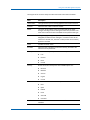
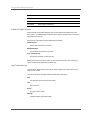
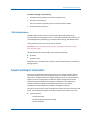
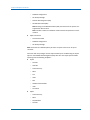
Click Add New (or Edit, if the property exists) and set the following properties:
tmsEvent.create.enable
Defines whether to delegate CA RCM ticket creation events to clients, such as a
help desk application.
Values: True/False
integration.unicenter.servicedesk.username
Defines the help desk user name used to access CA RCM, such as administrator.
integration.unicenter.servicedesk.password
Defines the password for the help desk user.
integration.unicenter.servicedesk.webservice.url
Defines the help desk Web Service URL.
Note: CA Help Desk r12 exposes a new web service, but CA RCM only supports
the r11 Web Service.
Chapter 12: Using Administration Functions 201