1
Operation and Features
PRELIMINARY
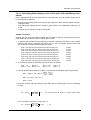
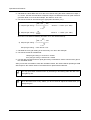
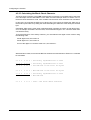
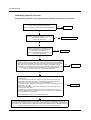
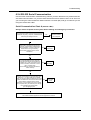
6. Convert the results to decimal:
Xo
Odd pixel gain setting = --------------0.094
3.88
Odd pixel gain setting = --------------0.094
Odd pixel gain setting = 41.28
Round to 41.
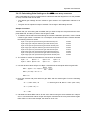
7. Calculate the even gain setting in the same way. It is 43 in this example.
8. Convert the results to hexadecimal:
Odd pixel gain setting of 41 decimal = 0x0029
Even pixel gain setting of 43 decimal = 0x002b
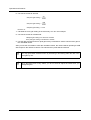
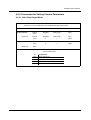
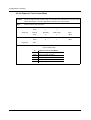
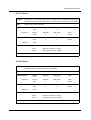
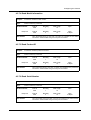
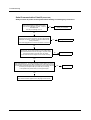
9. Use the odd pixel gain and even pixel gain binary commands to set the odd and even gain to
the calculated values.
After you use the commands to enter the calculated values, the camera will be operating at 2 dB
with respect to the reference camera. The odd and even pixels will be balanced.
3-12
You may get a better odd/even match by increasing or decreasing either the odd or the
even gain by one.
Since the black level is very stable, you do not need to adjust the offset when you
change the gain.
BASLER L100b Series