1
7.2.1 Hardware And Software Requirements
Hardware Requirements
Tuning is best accomplished when the system response can be measured.
This can be done with external monitoring devices but can introduce
errors.
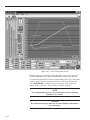
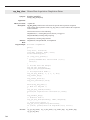
The ESP6000 controller avoids this problem by providing an internal trace
capability. When trace mode is activated, the controller records a number
of different parameters. The parameters can include real instantaneous
position, desired position, desired velocity, desired acceleration, DAC
output value, etc.
The sample interval can be set to one servo cycle or any multiple of it and
the total number of samples can be up to 1000.
This is a powerful feature that the user can take advantage of to get
maximum performance out of the motion system.
Software Requirements
Users can write their own application(s) or use the ESP-tune.exe Windows
utility. Refer to Section 4 for a detailed description of the utility and its
operation.
7.2.2 Correcting Axis Oscillation
There are three parameters that can cause oscillation. The most likely to
induce oscillation is Ki, followed by Kp and Kd. Start by setting Ki to zero
and reducing Kp and Kd by 50%.
If oscillation does not stop, reduce Kp again.
When the axis stops oscillating, system response is probably very soft. The
following error may be quite large during motion and non-zero at stop.
Continue tuning the PID with the procedures described in the next paragraph.
7.2.3 Correcting Following Error
If the system is stable and you want to improve performance, start with
the current PID parameters. The goal is to reduce following error during
motion and to eliminate it at stop.
Guidelines for further tuning (based on performance starting point and
desired outcome) are provided in the following paragraphs.
7 - 2