1
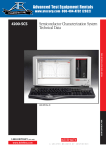
M O D E L 4 2 0 0 - S C S S E M I C O N D U C T O R C H A R A C T E R I Z AT I O N S Y S T E M
The Keithley Interactive Test Environment (KITE)
The Keithley Interactive Test Environment (KITE) is the Model 4200-SCS Windows device
characterization application. It provides advanced test definition, parameter analysis
and graphing, and automation capabilities required for modern semiconductor
characterization.
KITE Projects
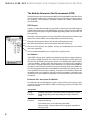
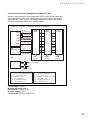
A project is a collection of related tests, organized in a hierarchy that parallels the physical layout of the devices on a wafer. KITE operates on projects using an interface called the
project navigator. The project navigator simplifies organizing test files, test execution, and
test sequencing.
The project navigator organizes tests into a logical hierarchy presented in a browser style
format. This structure allows users to define projects around wafer testing:
The project level organizes subsites and controls wafer looping execution.
The subsite level organizes devices and controls subsite test sequencing.
The device level organizes test modules, manages test module libraries and controls
device test sequencing.
The test module level performs tests, analyzes data, and plots results.
Test Modules
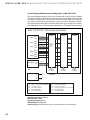
Within KITE, two types of test modules are provided to capture the test input parameters,
data analysis, and plot setting for data. “Interactive Test Modules” provide a point-andclick interface for defining test input parameters and controlling the 4200-SCS SMUs.
“User Test Modules” provide a fill-in-the-blank interface to either factory-provided or
user-written C language subroutines. These subroutines can control internal 4200-SCS
instruments and/or external instruments and systems through the RS-232 or GPIB interface. This dual approach provides an extendable test environment that gives the users the
same capabilities for data analysis, plotting, and output and automation, whether the
instrument used is part of the base system or an external instrument. It also offers users
the flexibility to write complex test algorithms for control of either internal or external
instruments.
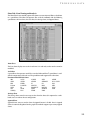
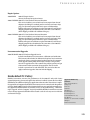
Definition Tab—Interactive Test Module
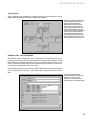
The definition tab of an ITM provides a point-and-click interface for setting test input
parameters that control the 4200-SCS SMUs and defining parameter extractions. Two
modes are available:
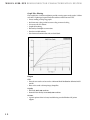
Sweep Mode
Forcing
Functions:
Common,Voltage Bias, Current Bias (VMU), Voltage Sweep, Current
Sweep, Voltage Step, Current Step, Voltage List Sweep, Current List
Sweep.
Measuring
Functions:
Measure Current or Programmed Current, Measure Voltage or
Programmed Voltage.
Fast, Normal, Quiet, and Custom Integration Times
Measure voltage, current or both on each sweep point, regardless of
forcing function.
8