1
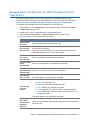
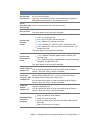
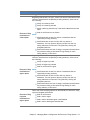
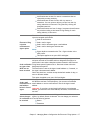
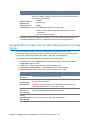
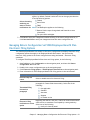
Component
Description
Notes:
Notifications are not sent for returns or extensions that are
rejected by a taxing authority.
Notifications are not sent for MI or OH city returns or
extensions. You can review a delivery receipt from the city
taxing authorities in Electronic Filing Status by clicking the
Accepted status link.
Email notifications are free of charge, but postcard notifications
are priced according to the latest Pricing Catalog for each
taxing authority in the return.
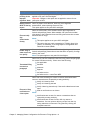
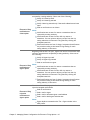
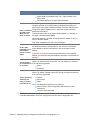
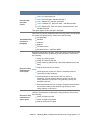
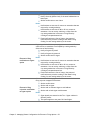
Select one of the following options for the treatment of electronic filing
rejection/stopped notifications:
Send no notifications
Send e-mail to signer
Electronic filing
Send e-mail to alternate signer e-mail address
rejection
notification to
Send e-mail to both signer and alternate
signer option
Notes:
Signer details are entered on the Tax > Signer window in the
staff profile.
This option applies to tax years 2013 and higher.
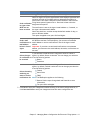
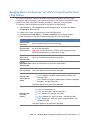
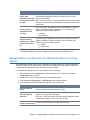
Select for signers to receive notifications when taxpayer signatures have
not been received on Form 8879 within a designated time period. A
notification is sent when a date has not been entered in the Electronic
Send notification Filing Status system Signature Form - Received column within the
designated time period.
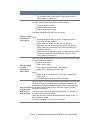
to signer when
The notification is sent to the signer's email address or, if entered, to
8879 has not
the signer's alternate email address.
been received
Select the check box, and then accept the default number of days, or
enter a different number.
This option is applied to tax years 2012 and higher.
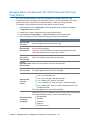
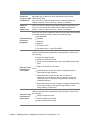
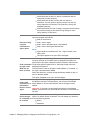
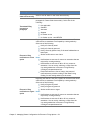
Send e-mail
notification to email address
below in lieu of
signer
If you selected to notify signers by email (the electronic filing option or
the 8879 has not been received option), you can enter an alternate
email address to receive notifications in lieu of the signer's email
address.
Important: If you select to send email notifications to an alternate
address, you must enter the email address; otherwise, notifications are
not sent.
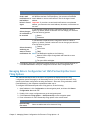
If you selected to send electronic filing notifications to clients or
Select the type signers, by default, Return is selected. You can change your selection
of notification to from the following options:
Return
be received
Extensions
Chapter 2 - Managing Return Configuration Set Electronic Filing Options • 17