1
44
Reporting Your Data
5.3
Exporting Reports To Files
You can save Proctor’s testing data summary and chart reports for posting to a web server or
for e-mailing to clients. The program supports several different export formats:
• Adobe Acrobat .PDF: Universal format for Internet document distribution. Requires the
Adobe Reader program to display the files.
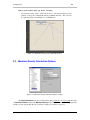
• AutoCAD .DXF: Format for interchange among CAD programs.
• Windows Metafile (.EMF): These files can be inserted as a picture into a word processing
document or manipulated with a vector-drawing program such as Adobe Illustrator.
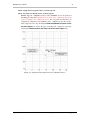
• Portable Network Graphics (.PNG) and JPEG File (.JPG): These files are "bitmap" files
that can be inserted into word processing documents or edited with a raster-drawing program such as Windows Paint or Photoshop.
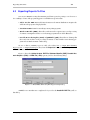
To save a chart or summary report as a file, select either Test > Output Data Summary
Report or Test > Output Chart Report, then, from the Output to box on the next dialog, select one
of the file formats outlined above.
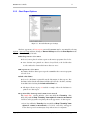
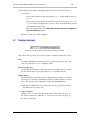
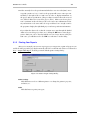
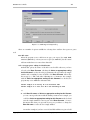
If you’ve chosen the Adobe Acrobat .PDF File, Windows Metafile (.EMF), Portable Network Graphics (.PNG) or JPEG File (.JPG): options you’ll see the following dialog:
Figure 5.7: .PDF, .EMF, .PNG and .JPG Output Settings Dialog
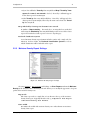
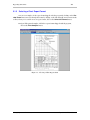
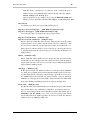
.DXF files are somewhat more complicated: if you select the AutoCAD .DXF File you’ll see
this dialog:
www.geosystemsoftware.com
Proctor by GEOSYSTEM Software