1
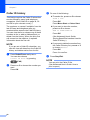
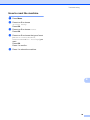
Chapter 6 c Press a or b to choose Miscellaneous. Press OK. Caller ID (For Singapore and Hong Kong) d Press a or b to choose Distinctive. Press OK. e Press a or b to choose On. Press OK. f Press Stop/Exit. Distinctive Ring is now set to on. The Caller ID feature of this machine lets you use the Caller ID subscriber service offered by many local phone companies. Call your telephone company for details. This service provides you, by means of the screen display, the telephone number (or name) of your caller as the line rings. Turning off Distinctive Ring a b Press Menu. c Press a or b to choose Miscellaneous. Press OK. d Press a or b to choose Fax. Press OK. Press a or b to choose Distinctive. Press OK. 6 After a few rings, the screen displays the telephone number of your caller (or name, if available). Once you answer the call, the Caller ID information disappears from the screen, but the call information remains stored in the Caller ID memory. ID Unknown display means call originates outside your Caller ID service area. ID Withheld display means the caller has intentionally blocked transmission of information. NOTE e Press a or b to choose Off. Press OK. You can print a list of Caller ID information received by your machine. f Press Stop/Exit. See Advanced User’s Guide: How to print a report. NOTE If you turn off Distinctive Ring, the machine will stay in Manual receive mode. You will need to set the Receive Mode again. (Choose the Receive Mode on page 27.) 38 Caller ID service varies with different carriers. Call your local phone company to determine the kind of service available in your area. 6