1
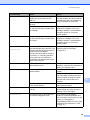
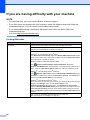
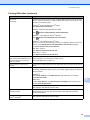
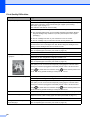
Error Message
Cause
Action
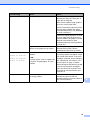
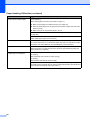
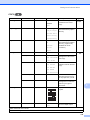
Paper Jam [Front]
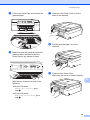
The paper is jammed in the machine. Remove the jammed paper by
following the steps in Printer jam or
paper jam on page 80.
Make sure the paper length guide is
set to the correct paper size.
DO NOT extend the paper tray when
you load A5 or smaller size paper.
(The extendable tray is only available
for some countries.)
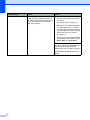
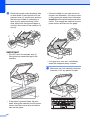
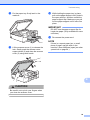
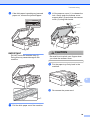
If there is a repeat paper jam, a small
piece of paper may be stuck in the
machine. Make sure paper is not still
jammed in the machine. (See
Additional paper jam clear operations
on page 84.)
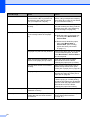
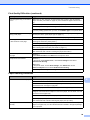
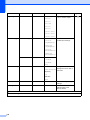
PaperJam Front,Rear
The paper is jammed in the machine. Remove the jammed paper by
following the steps in Printer jam or
paper jam on page 80.
Make sure the paper length guide is
set to the correct paper size.
DO NOT extend the paper tray when
you load A5 or smaller size paper.
(The extendable tray is only available
for some countries.)
If there is a repeat paper jam, a small
piece of paper may be stuck in the
machine. Make sure paper is not still
jammed in the machine. (See
Additional paper jam clear operations
on page 84.)
74