1
GraphWorX Quick Start
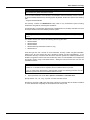
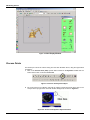
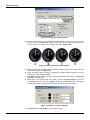
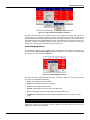
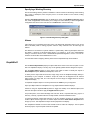
Figure 5.28. Data Entry Examples
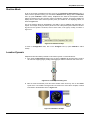
Click on any of the three Radio buttons to download a preconfigured value to the OPC tag
controlling the light bulb. Clicking on the light bulb itself opens a pop-up a menu offering these same
choices. Next, click on the Data Entry field. It has an automatic number pad configured to pop up.
Slide the knob to the right of the bulb to change the value.
5.13