1
Java Engineering Screens User Manual
6.3.4
Component Get/Set ............................................................................................................... 26
6.3.5
Configuration ........................................................................................................................ 26
6.3.6
Debug Slider.......................................................................................................................... 27
6.3.7
Enter Log Messages .............................................................................................................. 27
6.3.8
Interactive Image ................................................................................................................... 27
6.3.9
Lifecycle/Health Icon ............................................................................................................ 28
6.3.10 Lifecycle/Health Monitor ...................................................................................................... 28
6.3.11 Message Button ..................................................................................................................... 29
6.3.12 Motion Control ...................................................................................................................... 29
6.3.13 Radio Box.............................................................................................................................. 30
6.3.14 Slider ..................................................................................................................................... 30
6.3.15 Spinner .................................................................................................................................. 30
6.3.16 Text Entry.............................................................................................................................. 31
6.4 Composite Widgets ...................................................................................................................... 32
6.4.1
Custom Attribute Table ......................................................................................................... 32
6.4.2
Custom Configuration ........................................................................................................... 32
6.4.3
Hover Link ............................................................................................................................ 33
6.4.4
Nested Screens ...................................................................................................................... 33
6.4.5
Tabbed Panel ......................................................................................................................... 33
6.5 Miscellaneous Widgets ................................................................................................................. 34
6.5.1
Call Button ............................................................................................................................ 34
6.5.2
Close Button .......................................................................................................................... 34
6.5.3
Connection Pipe .................................................................................................................... 35
6.5.4
Help Message Display........................................................................................................... 35
6.5.5
Link Button ........................................................................................................................... 35
7.
References .......................................................................................................... 36
Appendix A – Creating a New JesWidget (an example) ........................................... 37
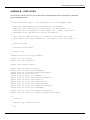
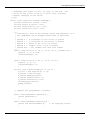
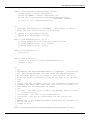
Appendix B – Code Listing ......................................................................................... 41
Appendix C – Adding a custom editor to a new widget ........................................... 47
Appendix D – Custom Widget sets ............................................................................ 48
Describing a custom widget set ............................................................................................................... 48
Including a custom widget set ................................................................................................................. 49
Appendix E: Making a Custom Attribute Table or Configuration Widget ............... 50
A Custom Configuration Panel ............................................................................................................... 50
A Custom Attribute Table Panel ............................................................................................................. 52
Considerations ......................................................................................................................................... 52
Appendix F – An example of a Custom Connection ................................................ 53
TN-0089 Rev B
Page iv of 2