1
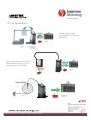
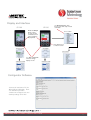
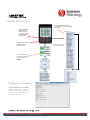
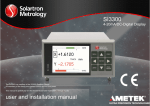
Display and Interface
SI 100
SI 200
Use Action Screen to Zero,
Preset, Print, and setup shortcut
commands
ŻLeft and ŹRight
Arrows can be
used as shortcut
commands to Zero
or Preset while in
Display Mode
ACTION SCREEN
Press ƔEnter to go
to “Action” Screen
Use ŸUp and źDown
arrows to change
g
display screens
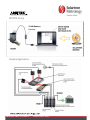
Configurator Software
Connect SI 100/200 to PC via
Mini-USB to USB cable. Then
use Solartron provided
software to configure unit, and
backup settings to PC file!
EDCR number: 20766 Issue number: 3 Datasheet number: 503083
5