1
SINETZ 3.7 Tutorial
Page i
Contents
Contents
1
SINETZ Tutorial .........................................................................................................................................1-3
1.1
1.1.1
1.1.2
1.1.3
1.1.4
1.1.5
SINETZ test license (full featured) ..............................................................................................................1-3
Required data .............................................................................................................................................1-3
Settings .......................................................................................................................................................1-3
Installation...................................................................................................................................................1-4
Program start ..............................................................................................................................................1-4
License Terms & Conditions and Access Code ..........................................................................................1-4
1.2
Projects and Examples ...............................................................................................................................1-5
1.3
User support, hotline and ROHR2/SINETZ board ......................................................................................1-5
2
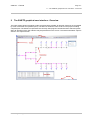
The SINETZ graphical user interface - Overview ...................................................................................2-1
3
Quick guide ...............................................................................................................................................3-1
3.1
3.1.1
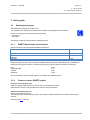
3.1.2
Starting the program ...................................................................................................................................3-1
SINETZ data format and interfaces ............................................................................................................3-1
Create or open a SINETZ project ...............................................................................................................3-1
3.2
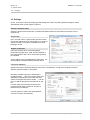
Settings .......................................................................................................................................................3-2
3.3
Geometry input ...........................................................................................................................................3-4
3.4
Components ...............................................................................................................................................3-9
3.5
Boundary conditions .................................................................................................................................3-12
3.6
Environment data ......................................................................................................................................3-13
3.7
Calculation and results .............................................................................................................................3-14
3.8
3.8.1
3.8.2
3.8.3
3.8.4
Output of results .......................................................................................................................................3-15
Calculation output – standard documentation ...........................................................................................3-15
Results at pipe segments..........................................................................................................................3-16
Results at nodes .......................................................................................................................................3-16
SINETZ report generation .........................................................................................................................3-17
4
SINETZ Tutorial projects ..........................................................................................................................4-1
4.1
SINETZ Tutorial - Training Example 1 ........................................................................................................4-1
4.2
SINETZ Tutorial - Training Example 4 ........................................................................................................4-1
5
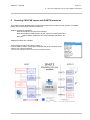
Checking CAD/CAE import with SINETZ Interfaces ..............................................................................5-1
SIGMA Ingenieurgesellschaft mbH
www.rohr2.com