1
IN S T A L L A T IO N & MA IN T E N A N CE
SET THE FDR GLOBAL OPTIONS TABLE
380.13
PANEL A.I.4 – SET
FDR GLOBAL
OPTIONS PRIMARY
MENU
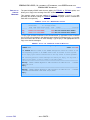
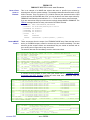
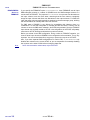
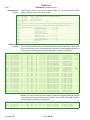
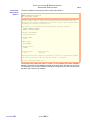
The name of the FDRPAS, FDRMOVE, and FDRERASE program library used during
installation is displayed. If necessary, correct that library name; you can also specify the
volume serial of the library if it is not cataloged. These values are saved in your ISPF profile so
that you do not need to reenter them in the future. The subsequent panels display the options
currently in effect in the FDROPT module in that library, and update that library when the
options are saved.
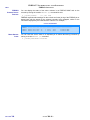
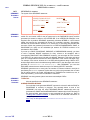
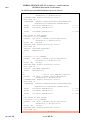
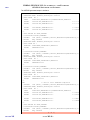
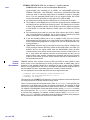
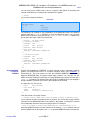
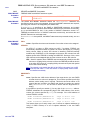
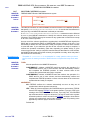
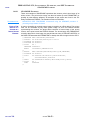
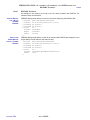
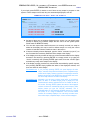
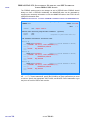
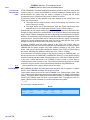
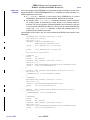
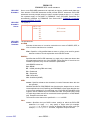
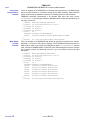
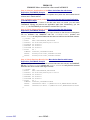
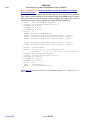
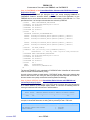
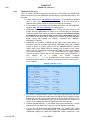
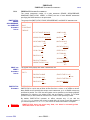
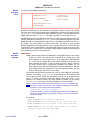
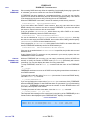
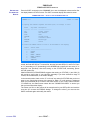
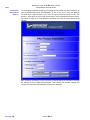
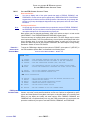
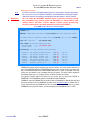
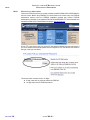
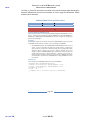
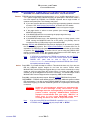
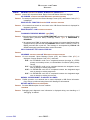
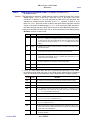
SET FDR GLOBAL OPTIONS PRIMARY MENU – PANEL A.I.4
---------- FDR INSTALLATION -- SET FDR GLOBAL OPTIONS PRIMARY MENU ----------OPTION ===>
1
2
3
4
5
6
7
-
SECURITY OPTIONS
GENERAL OPTIONS
COMPAKTOR OPTIONS
ABR GENERAL OPTIONS
ABR DATA SET NAMES
ABR ARCHIVE UTILITY DEFAULTS
ABR DISK PROCESSING OPTIONS
SAVE - SAVE OPTION CHANGES
CANCEL - EXIT WITHOUT SAVING CHANGES
REFRESH - REFRESH OPTIONS TABLE IN LPA
8
9
10
11
12
13
14
-
MORE ABR GENERAL OPTIONS
ABR REPORT DEFAULTS
MORE ABR REPORT DEFAULTS
OPERATING SYSTEM EXITS
FDRREORG OPTIONS
RESERVED
FDRPAS & FDRERASE OPTIONS
COPY - COPY OPTIONS FROM A PRIOR LEVEL
AUDIT - DISPLAY USER CHANGED OPTIONS
RESET - RE-INITIALIZE ALL OPTIONS
FDR PROGRAM LIBRARY DATA SET:
DATA SET NAME
===> 'IDP.PAS5480.LOAD'
VOLUME SERIAL
===>
NOTE: TO REFRESH THE OPTIONS THAT ARE DYNAMICALLY INSTALLED IN THE ACTIVE LPA,
IT IS NECESSARY TO RUN FDRSTART - USE THE REFRESH CMD TO GENERATE FDRSTART JCL.
SET OPTION
COMMANDS
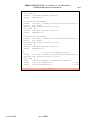
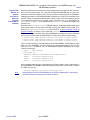
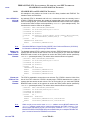
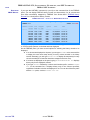
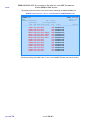
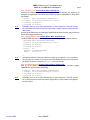
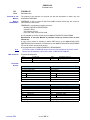
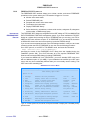
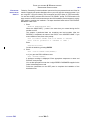
As shown, several special commands are available on this panel:
SAVE – Updates the FDROPT module in the specified program library. No
changes are made to the library until “SAVE” is entered, so you may freely
switch between option panels and change options until you are satisfied.
CANCEL – Exits to the previous menu and discards all options changed since the
last “SAVE” command.
REFRESH – Is not used with FDRPAS, FDRMOVE, and FDRERASE.
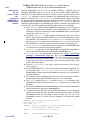
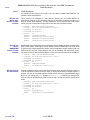
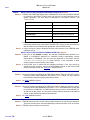
COPY – Is used to copy options and tables from a previous release of FDRPAS,
FDRMOVE, and FDRERASE (see next page).
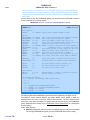
AUDIT – Displays the values and descriptions of all options that are not currently
set to the INNOVATION DATA PROCESSING default, that is, an audit of all
changed options.
RESET – Resets all options to the default values distributed by INNOVATION
DATA PROCESSING.
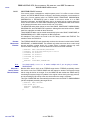
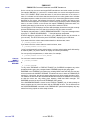
“SAVE” and “CANCEL” can be used on any of the option panels. Other commands are only
valid on this panel. If an option value is changed since the last “SAVE” command and you
attempt to exit from this panel, you are prompted to “SAVE” or “CANCEL” the changes before
exiting.
NOTE:
CHAPTER
380
New Installations
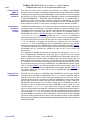
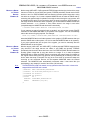
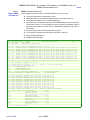
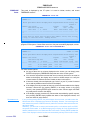
INNOVATION DATA PROCESSING suggests that new installations should display each
documented option panel and review the options on them.
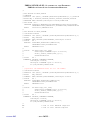
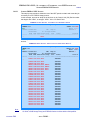
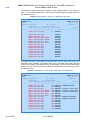
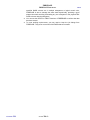
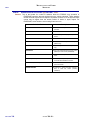
Currently the only option panels used with FDRPAS, FDRMOVE, and FDRERASE are:
1 – Security Options
2 – General Options
14 – FDRPAS and FDRERASE options
– PAGE 380-14 –