1
Curve Types
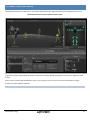
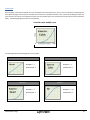
When mapping a controller thumbstick axis to an animatable camera parameter (pan, zoom), you have the option of specifying how
the Insight VCS plugin should interpret controller axis movement as a standard animation curve. Instead of modifying the value over
time, however, the motion curve modifies the value over the controller span, from neutral/center position (0) to maximum position
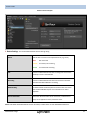
(Max). The following diagram describes this relationship:
Controller value modifier curve
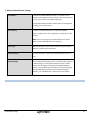
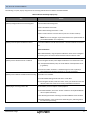
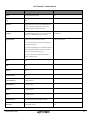
The VCS plugin offers the following built-in curve options:
Linear Curve
Cubic Curve
Description : Y = X
Description : Y = X3
Parameter Value : 0
Parameter Value : 1
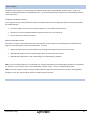
Quartic Curve
MotionBuilder Plugin
Sine Curve
Description : Y = X4
Description : Y = sin(X)
Parameter Value : 2
Parameter Value : 3
30