1
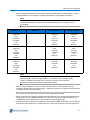
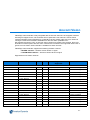
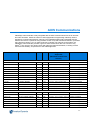
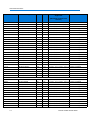
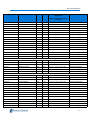
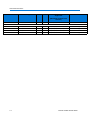
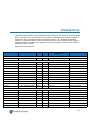
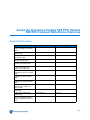
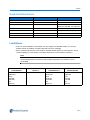
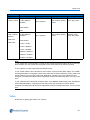
American Dynamics Illustra 625 PTZ, Illustra 600/610 Compact Mini-Dome Cameras
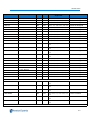
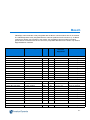
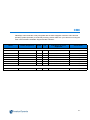
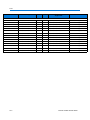
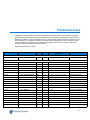
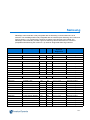
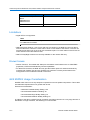
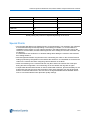
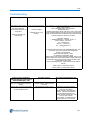
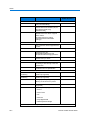
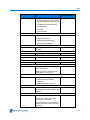
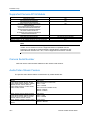
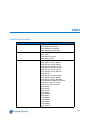
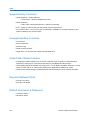
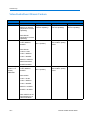
Model Family
Number of Sensor Input
Illustra 6X0M Compact MiniDome
ADCi600-M111
ADCi610-M111
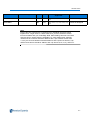
0
Generic
Auto Detect
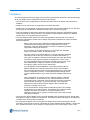
Limitations
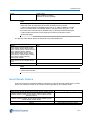
• Digital PTZ is not supported.
Note
Please refer to the American Dynamics Illustra 625 PTZ Camera Release Notes
for additional information
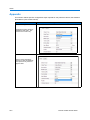
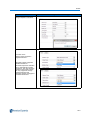
• i625 NVR Image Settings - Auto Focus and Auto Iris values on the NVR GUI are only able to
send a enable Auto command. These will not show current status of the feature. The user can
set manual iris and focus on the victor live surveillance pane. To check status of auto focus/ iris
users should use the i625 Camera GUI.
• i625 PTZ Day/Night controls are currently available on the camera GUI only.
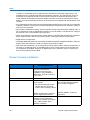
Known Issues
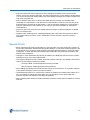
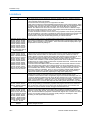
• Generic Function: The handler will attempt to auto detect most features such as VPA/LENS
properties, PTZ/Focus/Iris/Audio/Dry-Contact capabilities.
• For i625 PTZ Cameras, the NVR GUI may provide feature options for Audio and Alerts Dry
Contacts both Feature Plus and non-Feature Plus cameras. Currently these features are
unsupported on the handlerand should not be used.
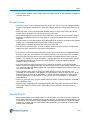
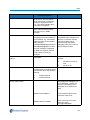
i625 MJPEG Usage Consideration
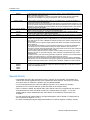
MJPEG video does not use any temporal compression but uses spatial compression. This makes
its bandwidth requirements much greater than H.264.
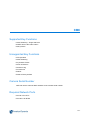
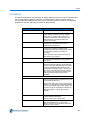
General recommendation:
• Maximum Possible Quality Setting: 100
• Recommended Maximum Setting: 90
• Recommended High Quality Setting: 75
• Recommended Medium Quality Setting: 55
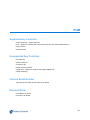
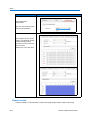
In addition to the above, MJPEG at high resolution and frame rate will use a very large amount of
bandwidth. For high resolution, the following is recommended:
21-4
Camera Handler Release Notes