1
P r o c e d u re – P art 2 (th in g s th e S y s te m M a n a ge r s h o u ld do)
The System Manager should execute some tasks to better initialise the VPS.
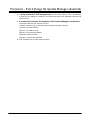
1. First, learn how to enter the System Manager’s mailbox.
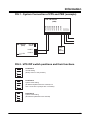
It is simple. Call the VPS from any extension (SLT
or APT) and dial
[#][6][ ][999]. You will hear this guidance (Main Menu of System Manager’s Service):
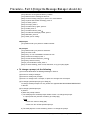
You have (number) new message(s).
To receive the message, press 1.
To deliver a message, press 2.
To customise your mailbox, press 3.
To check the mailbox distribution, press 4.
For a system report, press 5.
For other features, press 6.
To end this call, press .
2.
Assign a COS number (1 through 62) for each subscriber.
By default, each subscriber is COS 1. Many capabilities for each subscriber are defined by the
COS number. Many subscribers can be placed in the same COS, but some subscribers (for
example) who need extra recording space would need to be in a separate COS. To change a
subscriber’s COS assignments and other mailbox settings, go to the Main Menu of System
Manager’s Service:
(a) press 6 for other features;
(b) press 1 for mailbox setup;
(c) press 1 for assign or edit;
(d) dial the mailbox number;
(e) press 2 to accept the entry;
(f) as each parameter is played, you can change it or accept it; these are the guidances
that you will hear:
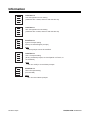
* Owner’s name is not recorded.
* Owner’s extension is (extension number).
* No letters have been specified †.
* Class of service number is (number).
* Interview mailbox number is not assigned.
* All calls transfer to mailbox disabled.
†
: This is the “Dial by Name” feature. If you specify the first 3 or 4 letters of the
subscriber’s last name, callers can reach his mailbox by dialling keys on the
telephone keypad. For Q use key 7. For Z use key 9.
COS assignment is the fourth parameter from the top.
Procedure – Part 2 (things the System Manager should do)
9