1
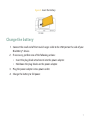
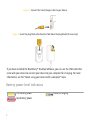
7. When the installation is complete, connect the smaller end of the USB cable to the
USB port on the side of your device.
8. Connect the larger end of the USB cable to the USB port on your computer.
If the BlackBerry® Desktop Manager does not open automatically, on the taskbar, click
Start > Programs > BlackBerry > Desktop Manager.
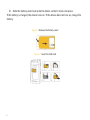
About switching devices
You can import data from your current BlackBerry® device, Palm® device, or Windows
Mobile® powered device to your new BlackBerry device using the switch device wizard tool
of the BlackBerry® Desktop Manager. For more information about switching devices, see
the BlackBerry Desktop Software Online Help.
Switch devices
Verify that you have installed the most recent version of the BlackBerry® Desktop
Software.
1.
2.
3.
4.
Connect your current device to your computer.
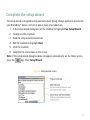
Open the BlackBerry® Desktop Manager.
Click Switch Device Wizard.
Click Start.
31