1
Version 3.604 (31/03/05) p21
INNER RANGE IQ PLUS. Quick Programmer’s Manual.
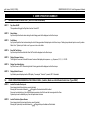
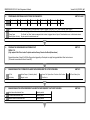
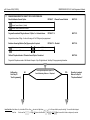
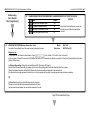
No Reporting.
Go to Step 30
“User Programming”
t
t
30.
29.
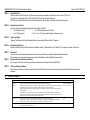
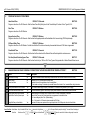
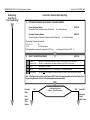
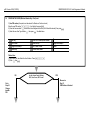
ENABLE/DISABLE THE KEYPAD EMERGENCY ALARMS REQUIRED TO ACTIVATE THE DIALER.
NEXT 899.
Option
Default
2
Panic Alarms will activate the Dialer.
Yes
4
Fire Alarms will activate the Dialer.
Yes
Note: When Securitel Reporting is used, the
selected events at 899 will be reported via
6
Medical Alarms will activate the Dialer.
Yes
Securitel
7
Duress Alarms will activate the Dialer.
No
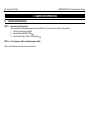
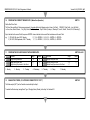
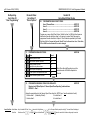
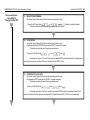
PROGRAM THE USERS (Wireless Remote Key + Card)
An Installer Code or Master User Code must be used to program the Users.
t
Master:
Other Users:
NEXT 402
NEXT 403 to 495
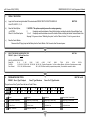
Program a User.
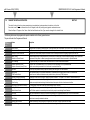
1) Key in your PIN, then Select the User Number. Press
,
,
,
.(402 = Master. 403 to 495 = User 3 to User 95),
a User can have a Wireless Remote and/or a PIN OR a Card and/or a PIN. A seperate User Number is required if a User has a Wireless Remote and a Card
(different PIN numbers).
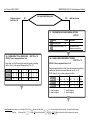
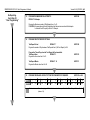
2a) Wireless Remote Key (if Required, used with Enhanced RF Terminals or RF Module)
Enrol the User Wireless Remote Key by pressing a button on the Remote Key within 30 seconds of selecting the User number.
Three short beeps will sound to confirm that the Remote Key has been enrolled and assigned to the selected User.
If the Remote Key is already assigned to another User, or is not recognised by the system, one long beep will sound to indicate a problem.
OR
2b) User Card (if required, used with Enhanced Access Terminals)
Present the card at the attached reader head and observe the tones.
High tones indicate acceptance, low tone indicate rejection of the card.
Step 30 Continued Next Page
t