1
The Nitty-Gritty on
SPDFT5 - Tips & Tricks
And lastly, the Tips & Tricks outlined below are intended to help you get
the most out of Solid PDF Tools. Tips
and Tricks give assistance on specific
issues, provide education about topics
relating to their products, and highlight
quicker and easier ways of accomplishing a task.
The following is partial list of the
Solid PDF Tools - Tips & Tricks (See
web site for details):
Adobe Acrobat Features at a
Fraction of the Cost (PDF creation
for a great price); Control PDF File
Size for Your Purposes (Optimize
your PDF file for your specific purpose);
Add Watermarks to your PDF’s
(Use pre-defined watermarks or create
your own); Easily Create PDF Files
from ANY Windows Program (Including Word, Excel, PowerPoint, and
more); Fine-Tune Your Documents
for Print or Web (You decide the appropriate level of quality and size for
your PDF output); Protect Your Confidential Information4 (Password
protect and encrypt your PDF’s)4;
Rearrange Pages in your PDF Files
(Easily rearrange pages with a PDF file
or between multiple files); Reduce
PDF File Sizes (Optimize Your PDF
Files); Distribute Information in
your Organization Accurately and
Securely4 (Being successful in business
means getting information to the right
employees in a timely fashion); Tools
You Didn’t Know You Had (Need
to extract text from a scanned document? Want to view your pictures easily
without having to learn a complicated
photo program? Etc.); PDF Standards
and Your Business (What is PDF/A,
PDF/X, PDF/E?); What is the PDF
File Format? (The advantages of using
PDF documents); and, Archive Using
PDF/A (Create PDF/A-1b documents
which are fully compliant with ISO
19005-1 archiving standards).
Let’s explore a couple, just for
principle, but more because they are so
important to understand actually?
Q. What is the PDF File Format?
A. If a file has the extension .pdf,
then it most likely is in the Portable
Document Format (PDF), developed
by Adobe Systems. PDF maintains the
original document formatting for both
printing and viewing on multiple computing platforms, including Windows,
UNIX and Mac.
Note. To view any PDF file(s), primarily, you must download the Adobe
Acrobat Reader (available almost everywhere), which is free software for
viewing and printing Adobe Portable
Document Format (PDF) files.
Here are some benefits of using the PDF format: 1) For the Web,
smaller files are better (“Better, meaning smaller with Solid Converter
PDF than with Adobe Acrobat”)
since download time depends on file
size; 2) PDF files can: (a) be optimized
to reduce file sizes, (b) create files up to
80% smaller than their HTML counterparts, (c) be “linearized” to allow the
user to start viewing the document before it is fully downloaded, similar to the
process used to deliver streaming video
over the internet, and (d) be interwoven
seamlessly into most Web sites.
Note. This combination of HTML
and PDF formats enables authors to
serve content in its most appropriate
format based on the demands of “content versus technology.”
Page 12
Blue Chips Magazine — June 2009
Also, on most popular Web servers
there is no compression, translation,
or filtering penalty for serving up PDF
files; and, 3) PDF has a well-established
security feature set4. Authors of PDF files
can prevent users from editing, printing,
and/or copying content (text and graphics) plus they can password protect the
same files4.
Q. What is and how do I convert from PDF to PDF/A?
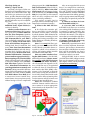
A. Convert PDF to PDF/A.
Solid PDF Tools allows you to convert
your existing PDF documents (normal
or scanned), or image PDF files, into
fully searchable ISO 19005-1 compliant
archivable documents. This helps to
ensure that you can find the right document when you need it, and that it
will appear exactly the same way
it did when you archived it.
Note. Many organizations use PDF
files to archive important documents.
However, just because a document has
been stored as a PDF file does not mean
that it will be searchable, nor does it
mean that it will look the same when
viewed years after it was made.
Using Solid PDF Tools to convert
your PDF files to PDF/A helps to ensure
that your documents will be searchable, display reliably, and be archivable
“From here to eternity.”