1
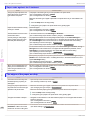
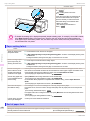
Hard disk error.
iPF830 Series
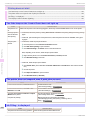
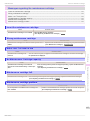
Messages regarding the hard disk
Hard disk error. ............................................................................................................................................. 138
File read error. ............................................................................................................................................... 138
The mail box is full. ........................................................................................................................................ 138
Mail box full. Now printing without saving data. ............................................................................................. 138
Mail box nearly full. ........................................................................................................................................ 138
Maximum jobs stored. ................................................................................................................................... 138
Mail box full. Delete unwanted data ............................................................................................................... 138
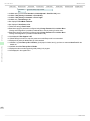
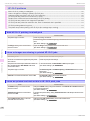
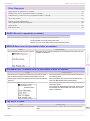
Hard disk error.
Cause
Corrective Action
The format of the printer's hard
disk is invalid.
Press the OK button to start reformatting the hard disk. When formatting is finished, data on the
printer hard disk is erased and the printer automatically restarts.
File read error.
Cause
Corrective Action
Files on the printer's hard disk have become
corrupted.
Restart the printer. Only the corrupted files will be deleted, and the printer will restart.
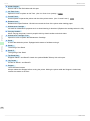
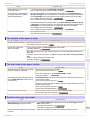
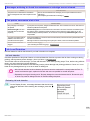
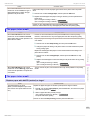
The mail box is full.
Error Message
Cause
Corrective Action
There is no more space on the printer's
hard disk.
Press the Stop button and stop printing.
Delete print jobs from the queue.
(See "Managing the Job Queue (Deleting or Preempting Other Jobs).") ➔ User's Guide
Delete unneeded jobs stored in personal boxes.
(See "Deleting Saved Jobs.") ➔ User's Guide
Messages regarding the hard disk
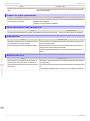
Mail box full. Now printing without saving data.
Cause
Corrective Action
No more space is available on the printer's hard disk, so jobs are now printed without saving them. (Print jobs can no longer be saved on the hard disk.)
After printing, this message is cleared.
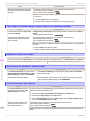
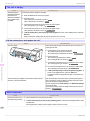
Mail box nearly full.
Cause
Corrective Action
The free hard disk space left for Personal Boxes in the printer's hard disk does
not have more than 1 GB, combined.
Delete unneeded jobs stored in Personal Boxes.
(See "Deleting Saved Jobs.") ➔ User's Guide
Maximum jobs stored.
Cause
Corrective Action
100 jobs are stored in the personal box.
Delete unneeded jobs stored in personal boxes.
(See "Deleting Saved Jobs.") ➔ User's Guide
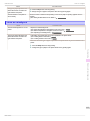
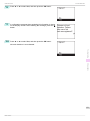
Mail box full. Delete unwanted data
Cause
138
100 jobs are stored in the Personal Box.
Corrective Action
Press the Stop button and stop printing.
Delete print jobs from the queue.
(See "Managing the Job Queue (Deleting or Preempting Other Jobs).") ➔ User's Guide
Basic Guide