1
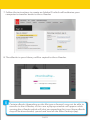
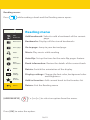
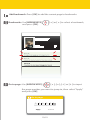
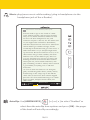
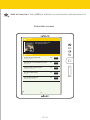
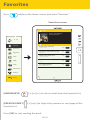
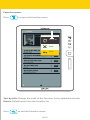
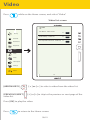
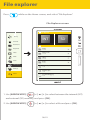
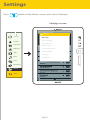
File explorer Press while on the Home screen, and select “File Explorer”. File Explorer screen File Explorer Sort by INT SD Favorites Bookmarks audio Brightness 33685KB Video Photo-color Music video 93297KB 93297KB Photo book 3008KB File Explorer Track02.mp3 197KB Settings Track01.mp3 173KB Return snowboarding.jpg 209KB 1/2 1. Use [ARROW KEYS] OK [] or [] to select between the internal (INT) and external (SD) memory, and press [OK]. 2. Use [ARROW KEYS] OK [] or [] to select a file and press [OK]. 36/41


![[VC120-2] [MENARDS] User Guide [FINAL] 20100618](http://vs1.manualzilla.com/store/data/005701495_1-e41e7e0d778d2f045f29de9890ac0ae7-150x150.png)