1
ALPHA VERSION|TRUST THIS AND DIE|ALPHA VERSION
44
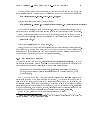
The permissions. Every le has permissions associated with it which tell Unix who can access
what le, or change it, or, in the case of programs, execute it. Each of these permissions can
be toggled seperately for the owner, the group, and all other users.
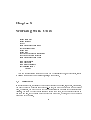
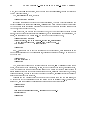
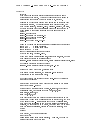
touch
le1 le2
:::
leN
will update the time stamps of the les listed on the command line to the current time.
If a le doesn't exist, touch will create it. It is also possible to specify the time that touch will set
les to|consult the the manpage for touch.
touch
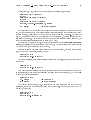
chmod
[-Rcfv] mode le1 le2
:::
leN
The command used to change the permissions on a le is called chmod. Before I go into how to
use the command, let's discuss what permissions are in Unix. Each le has a group of permissions
associated with it. These permissions tell Unix whether or not the le can be read from, written to,
or executed as a program.
du
df
6.3
What's in the File?
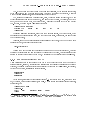
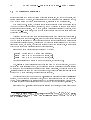
There are two major commands used in Unix for listing les, cat and more. I've talked about both
of them in Chapter 5.
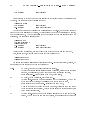
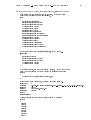
cat
[-nA] [le1 le2
:::
]
leN
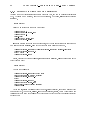
cat is not a user friendly command|it doesn't wait for you to read the le, and is mostly used in
conjuction with pipes. However, cat does have some useful command-line options. For instance, n
will number all the lines in the le, and A will show control characters as normal characters instead of
(possibly) doing strange things to your screen. (Remember, to see some of the stranger and perhaps
\less useful" options, use the man command: man cat.) cat will accept input from stdin if no les
are specied on the command-line.
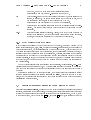
more
[-l] [+linenumber] [le1 le2
:::
]
leN
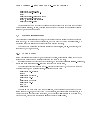
more is much more useful, and is the command that you'll want to use when browsing ASCII
text les. The only interesting option is l, which will tell more that you aren't interested in treating
the character Ctrl-L as a \new page" character. more will start on a specied linenumber.
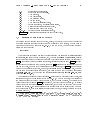
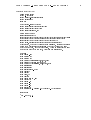
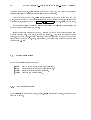
Since more is an interactive command, I've summarized the major interactive commands below:
Spacebar Moves to the next screen of text.










































![[incr tsdb()]](http://vs1.manualzilla.com/store/data/005780303_1-7064634619abc733efac654e2a82e90d-150x150.png)