1
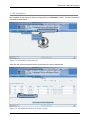
User Manual – Online Bill Processing 1 Introduction This chapter presents an overview of the Online Bill Processing, developed in Integrated Financial Management System (IFMS) as part of the common applications. 1.1. About Online Bill Processing The IFMS Online Bill Processing module will give the opportunity to the DDO to submit the bill online. 1.2. About this User Manual and Users This guide contains all information needed to familiarize the user with the features and functionality of the Online Bill Processing. To give User a feel of the application’s Graphical User Interface (GUI), it includes screenshots wherever relevant. The intended users of this guide are all DDO’s, Data entry Clerk and Verifiers of all Districts of Punjab state. 1.3. Conventions used in this User Manual It is necessary to be familiar with the conventions used in this guide in order to fully and easily Understand the module. The conventions used in this document are as follows: “Window” refers to screens that are big and do not generally contain commands or options. “Dialog box” refers to screens that contain sets of command and option buttons. The sign indicates the navigation path from a menu to the subsequent submenu(s). The verb “enter” has been used for field values that have to be either typed in or selected from list boxes. The verb “type” has been used for field values that have to be typed in. Bold type has been used to highlight names of menus, windows, tabs, buttons, options, list boxes, fields, keys and points of emphasis. Notes and Supplemental Information sections have been used to provide related but important information. Notes and Supplemental Information sections have been used to provide related but important information. Confidential 10