1
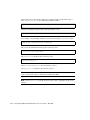
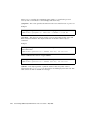
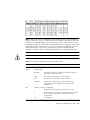
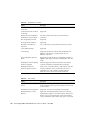
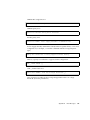
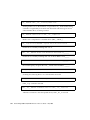
LG:_ NOTICE: CHL:_ ID:_ Starting Media Scan
Starting media scan on the members of logical drive LG_. Each member being
scanned is recognized by its channel and channel ID. This message is shown
when member drives are being scanned.
LG:_ NOTICE: Media Scan of CHL:_ ID:_ Completed
Media scan is completed on a member drive (CHL:_ and ID:_).
LG:_ Logical Drive NOTICE: Logical Drive Block Recovered
Bad block recovered by rewriting data onto it.
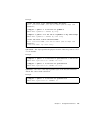
CHL:_ ID:_ NOTICE: Media Scan Bad Block Recovered-ox_______
Bad block recovered by rewriting data onto it. Block address is 0x______ .
LG:_ NOTICE: Inconsistent Parity Encountered Block _______
Inconsistent parity of logical drive LG:_, found on block address _______.
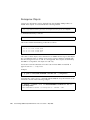
CHL:_ ID:_ SCSI Drive NOTICE: Scan SCSI Drive Successful
Scanning new/missing drives on a SCSI channel successful.
CHL:_ NOTICE: Fibre Channel Loop Connection Restored
CHL:_ loop connection restored.
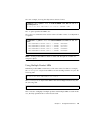
CHL:_ ID:_ NOTICE: Redundant Path for CHL:_ ID:_ Restored
Alternate connection to the dual-ported device, CHL:_ ID:_ is restored.
364
Sun StorEdge 3000 Family RAID Firmware 4.15 User’s Guide • May 2006