1
4 Thomson Gateway Tools
4.1.3
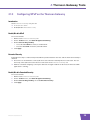
Configuring UPnP on the Thomson Gateway
Introduction
On the Thomson Gateway GUI you can:
Enable/Disable UPnP.
Enable/Disable Extended Security.
Enable/Disable UPnP
Proceed as follows:
1
Browse to the Thomson Gateway GUI.
2
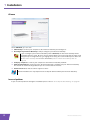
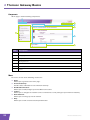
On the Toolbox menu, click Game & Application Sharing.
3
Under Universal Plug and Play:
Select the Use UPnP check box, to enable UPnP.
Clear the Use UPnP check box, to disable UPnP.
4
Click Apply.
Extended Security
If Extended Security is enabled only limited UPnP operation between the host and the Thomson Gateway is
allowed:
A local host is not allowed to connect/disconnect the Thomson Gateway Internet connection. You can
then only connect/disconnect the Internet connection via the Thomson Gateway GUI
Address translation mappings can only be added or changed via UPnP for the host on which the UPnP
application is running.
Enable/Disable Extended Security
Proceed as follows:
1
Browse to the Thomson Gateway GUI.
2
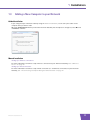
On the Toolbox menu, click Game & Application Sharing.
3
Under Universal Plug and Play, select Use Extended Security.
4
Click Apply.
E-DOC-CTC-20090708-0001 v1.0
35