1
Testpmd Application User Guide, Release 2.0.0
5.6 Link Bonding Functions
The Link Bonding functions make it possible to dynamically create and manage link bonding
devices from within testpmd interactive prompt.
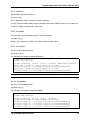
5.6.1 create bonded device
Create a new bonding device:
create bonded device (mode) (socket)
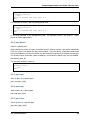
For example, to create a bonded device in mode 1 on socket 0.
testpmd> create bonded 1 0
created new bonded device (port X)
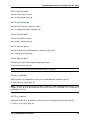
5.6.2 add bonding slave
Adds Ethernet device to a Link Bonding device:
add bonding slave (slave id) (port id)
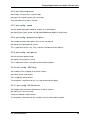
For example, to add Ethernet device (port 6) to a Link Bonding device (port 10).
testpmd> add bonding slave 6 10
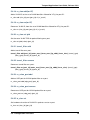
5.6.3 remove bonding slave
Removes an Ethernet slave device from a Link Bonding device:
remove bonding slave (slave id) (port id)
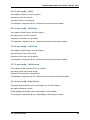
For example, to remove Ethernet slave device (port 6) to a Link Bonding device (port 10).
testpmd> remove bonding slave 6 10
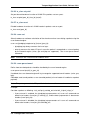
5.6.4 set bonding mode
Set the Link Bonding mode of a Link Bonding device:
set bonding mode (value) (port id)
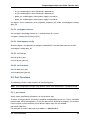
For example, to set the bonding mode of a Link Bonding device (port 10) to broadcast (mode
3).
testpmd> set bonding mode 3 10
5.6. Link Bonding Functions
30