1
5. Operating the System
User friendliness and reliability has been paramount in the design of the system, it’s therefore
very simple to operate. There are no complicated setup procedures, just push the main switch
and the system is ready to go. The only two things that are user adjustable are the Time &
Date and the Display backlight intensity; these settings are described in chapter 7.
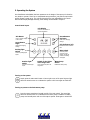
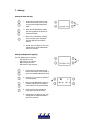
Control Panel layout
LCD Display
Presents Time & Date or
system Information
Info Button
Arrow Buttons
Up/Down
Press to change display
to info mode
Used when changing
settings
Arrow Button
Right
LED Indicators (x5)
Used when changing
settings
Indicates if button is ON or
OFF
Parking light
switch
Main Switch
Turns the power
on/off to all 12V
devices, except the
outdoor and dining
area lights.
Turns the parking lights
on/off
Outdoor light
switch
Turns the outdoor light
on/off
Switch for the lights
in the Cargo hold
Water Pump
Switch
Turns the light on/off in the
cargo hold
Enables the water pump.
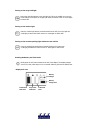
Turning on the system
Simply press the main switch button in lower right corner of the panel. A green light
above the switch comes on to indicate the system is ON. Press again to switch OFF
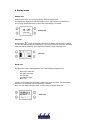
Turning on power to the fresh water pump
Press the water pump button located just left of the main switch. The green light
above the switch comes on to indicate that the water pump is enabled. The water
pump won’t actually start until one of the taps is opened. Press again to switch OFF.