1
Operators Manual
Section 6 - Programming Mode
6.1 Drink Selection Keypad
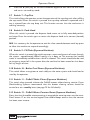
Programming mode utilises the drink selection keypad, as defined in the illustration
below, and allows the operator to view and alter stored data within the machines
memory. During programming the keys are used as follows:
Keys 0-9
Used for entering numerical data
▲
For indexing up in a program, or
incrementing data
▼
For indexing down in a program, or
incrementing data
↵
(Edit) Used to select and enter the
highlighted menu and to save data to
machines memory
X
(Exit) To return to the previous menu
screen
START
Press to ‘set all’ or ‘clear all’ data or
begin a test sequence.
MILK
START
SUGAR
6.2 Menu Display
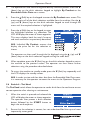
The Genesis features our new interactive menu display. The multi line LCD display
helps to make navigating the programming menu structure easy and intuitive. It is used
to display programming information and will change according to the type of data being
updated.
1.
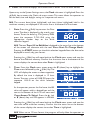
The top line of the screen is the Menu title.
2.
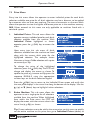
Selected items are highlighted in white. Press
the ▲ (up) or ▼ (down) keys on the drink
selection keypad to highlight an item.
3.
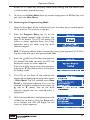
Press the ↵ (Edit) key to select the item. In this example, pressing the the ↵ (Edit)
key will display the Mug Discount screen.
4.
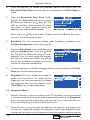
The bottom line of the screen will often show important information. In certain
configuration menus it will display the current value for the selected item. In the
example shown the screen is showing that the current Mug Discount is set at
32