1
info(rmation)
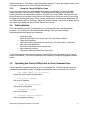
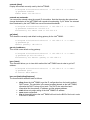
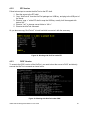
The info command shows basic information (manufacturer identification and product ID) of the
Intel® RMM2. The example given also shows the use of the -l, -u and -p options:
C:\Program Files\KiraTool>kiratool -l 192.168.2.6 -a -u admin -p
password info
Manufacturer ID: 10437 (0x28c5)
Product ID:
0 (0x0)
serial [show]
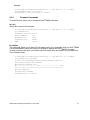
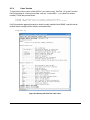
The serial command displays the serial number of the Intel® RMM2. Serial numbers can be strictly
numbers and alpha-numeric strings.
C:\Program Files\KiraTool>kiratool -l 192.168.2.5 –a -u admin
-p password serial
Serial number: 007-BOND
reset
The reset command resets the device.
C:\Program Files\KiraTool>kiratool -l 192.168.2.6 –a -u admin
-p password reset
The device might not respond for about one minute.
Successfully reset the device.
defaults
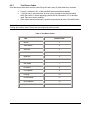
The defaults command will reset the device to factory defaults.
Note: This operation will also reset the administrative password, so the following KiraTool
command needs to use the default password.
C:\Program Files\KiraTool>kiratool –l 192.168.2.6 –a -u admin
–p password defaults
Successfully reset device to factory settings.
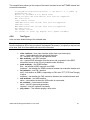
cfg backup <filename>
The cfg backup command will backup the device's configuration to a file.
cfg restore <filename>
The cfg restore command will restore the device's configuration from a file.
Intel® Remote Management Module 2 User Guide
23