1
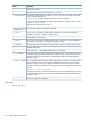
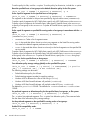
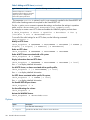
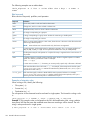
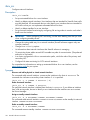
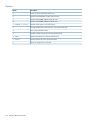
If you are creating multiple directory tree quotas, you can import the quotas from a file. The system
then uses batch processing to create the quotas. If you add the quotas individually, you will need
to wait for ibrix_onlinequotacheck to finish after entering each ibrix_edquota command.
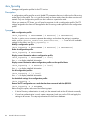
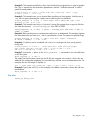
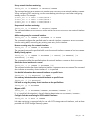
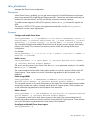
Set grace periods for quotas on a file system:
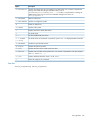
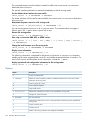
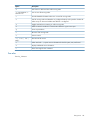
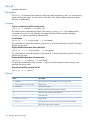
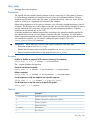
ibrix_edquota -c -k BLOCKS_GRACE_TIME -K INODES_GRACE_TIME -f FSNAME
Specify BLOCKS_GRACE_TIME and INODES_GRACE_TIME as the number of
Hours/Days/Weeks/Months to set as the grace period for the limit (for example,
10H/1D/2W/2M).
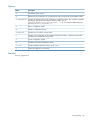
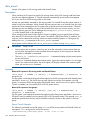
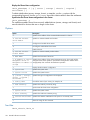
Import quotas information from a file:
ibrix_edquota -t -p PATH -f FSNAME
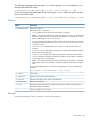
Export the existing quotas information to a file:
ibrix_edquota -e -p PATH -f FSNAME
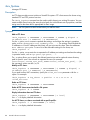
Delete a user quota:
ibrix_edquota -D -u UID [-f FSNAME]
To delete the quota on a specific file system, include the -f option. Omit this option to delete the
quota on all file systems.
Delete a group quota:
ibrix_edquota -D -g GID [-f FSNAME]
To delete the quota on a specific file system, include the -f option. Omit this option to delete the
quota on all file systems.
Delete the entry and usage limits for a directory tree quota:
ibrix_edquota -D -d NAME -f FSNAME
To delete the entry and quota on a specific file system, include the -f option. Omit this option to
delete the entry and quota on all file systems.
NOTE: When ibrix_edquota is used to delete a directory tree, the system also runs
ibrix_onlinequotacheck command in DTREE_DELETE mode.
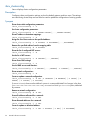
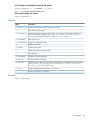
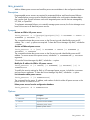
List quota limits and usage for a specific user:
ibrix_edquota -l -u UID [-f FSNAME]
List quota limits and usage for all users:
ibrix_edquota -l -U [-f FSNAME]
List quota limits and usage for a specific group:
ibrix_edquota -l -g GID [-f FSNAME]
List quota limits and usage for all groups:
ibrix_edquota -l -G [-f FSNAME]
List usage limits for a specific directory tree quota:
ibrix_edquota -l -d NAME [-f FSNAME]
List usage limits for all directory tree quotas or for quotas on a specific file system:
ibrix_edquota -l -T [-f FSNAME]
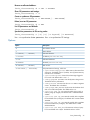
List grace limits for a specific file system:
ibrix_edquota -l -C -f FSNAME
56
StoreAll software commands