1
Section 5. How to Access YOUR PC BIOS
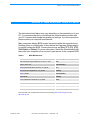
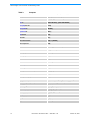
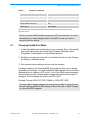
Table 3:
Computer, continued
Computer
Key Command(s)
Toshiba® 335 CDS
[Esc]
Toshiba Protege
[Esc]
Toshiba Satellite 205 CDS
[F1]
Toshiba Tecra
[F1] or [Esc]
This information was compiled from several sources including: http://www.iomega.com/ and
http://www.hp.com
Caution: Incorrect BIOS settings can prevent PCs from working. It is recommended that you track changes made to the BIOS in case you need to
restore a previous setting.
5.1
Changing Parallel Port Mode
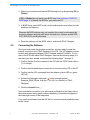
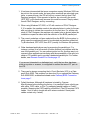
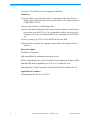
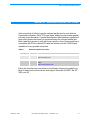
1. Locate the parallel port mode setting in your computer Setup. The parallel
port mode settings may be located in the Advanced Settings section,
Peripherals, Communication or Input/Output sections.
2. Parallel port modes set to Normal or Uni-directional will not work. Change
the setting to a different mode.
3. Exit computer setup making sure you save the changes.
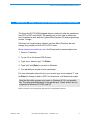
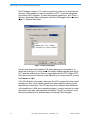
Compaq computers with Compaq BIOS (setup) will not allow you to change
the parallel port settings. You must disable the DMA channel, which will cause
the parallel port to change to EPP mode. Turn off the DMA channel assigned
to the port and use the same hardware configuration that the current port is
assigned. This will change the mode from ECP to EPP.
Example: Change 0378-037F, IRQ 7 DMA2 to: 0378-037F, IRQ7.
On some older Compaq computers it may not be possible to assign the parallel port settings without a DMA setting. If this is the case, contact Compaq
for a possible BIOS upgrade.
October 10, 2002
Document #: 38-12005 CY Rev. ** CMS Rev. 2.10
13