1
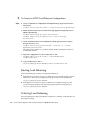
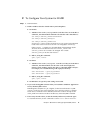
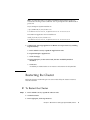
▼ To Create an HTTP Load Balancer Configuration
Steps
1. Create a load balancer configuration called MyLbConfig targeted to the cluster
FirstCluster:
asadmin create-http-lb-config --target FirstCluster MyLbConfig
2. Enable the FirstCluster cluster and the clusterjsp application deployed in it for
HTTP load balancing:
asadmin enable-http-lb-server FirstCluster
asadmin enable-http-lb-application --name clusterjsp
FirstCluster
3. Create a health checker for the load balancer, which signals when an instance
that goes down recovers.
asadmin create-http-health-checker --interval 10 --config
MyLbConfig FirstCluster
The interval is the number of seconds the health checker waits between checks of
an unhealthy instance.
4. Export the configuration to a file loadbalancer.xml.
asadmin export-http-lb-config --config MyLbConfig
loadbalancer.xml
5. Copy loadbalancer.xml to:
web_server_install_dir/https-hostname/config/loadbalancer.xml
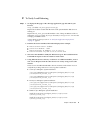
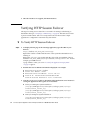
Starting Load Balancing
Start load balancing by starting or restarting the Web Server.
■
If the Web Server instance serving as load balancer is not already running, start the
Web Server software by executing the start program in the following directory:
web_server_install_dir/https-hostname
■
If the Web Server instance serving as load balancer is already running, stop the
server and start it using the start and stop programs in the following directory:
web_server_install_dir/https-hostname
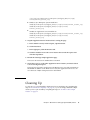
Verifying Load Balancing
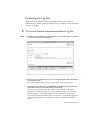
Once the application is deployed and the load balancer is running, verify that the load
balancing is working.
20
Sun Java System Application Server Enterprise Edition 8.1 2005Q2 Quick Start Guide