1
Installing Application Server Software
4
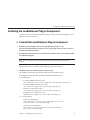
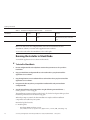
Select the components to install.
If a component is disabled, the installation program has detected it as already installed on your
system.
If you do not already have your web server installed on the machine where you are installing the
load balancer plug-in, you cannot continue to install the load-balancer plug-in.
5
Choose to install the Java 2 SDK, or use a preinstalled Java 2 SDK.
■
If the correct version of the Java 2 SDK is installed, it is reused or you can enter the path to
another correct version.
■
If no Java 2 SDK is installed, you can choose to let the installation program install the Java 2
SDK package automatically.
■
If you choose to install the Java 2 SDK, a private copy is installed in install_dir.
The default Java 2 SDK installation path for all platforms is install_dir/jdk.
Note – The Application Server software is certified to work with Java 2 SDK from Sun
Microsystems. Third-party Java 2 SDK development kits, even with appropriate version
number, are not supported.
The default server domain directory is: install_dir/domains.
6
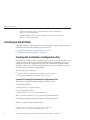
If you selected the load balancer plug-in component, identify your web server and its
installation directory.
7
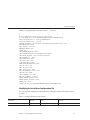
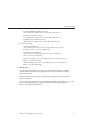
In the Admin Configuration page (or at the command line), enter the following:
■
Admin User Name—Name of the user who administers the server
■
Password—Admin user’s password to access the Admin Server (8-character minimum)
■
Master Password—SSL certificate database password, used in operations such as Domain
Administration Server startup
■
Admin Port—Port number to access the Domain Administration Server
■
HTTP Port—Port number to access the default server instance
■
HTTPS Port—Secure port number to access the default server instance
Note – The installation program automatically detects ports in use and suggests unused ports for
the default settings.
The default ports are 4849 for the Admin Server, 8080 for the HTTP Server, and 8181 for the
HTTPS Server.
20
Sun Java System Application Server Enterprise Edition 8.1 2005Q2 Installation Guide • January 2008