1
Connections
Before you get started...
• Turn off the power of all equipment.
• Do not connect the AC power cords until all of the
connections are completed.
• Be sure to make connections firmly. Loose
connections may cause picture distortion.
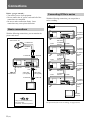
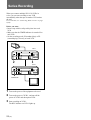
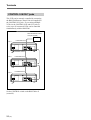
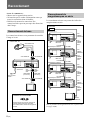
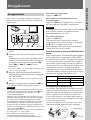
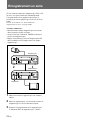
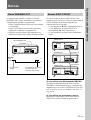
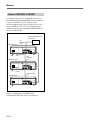
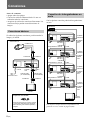
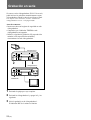
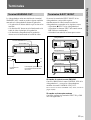
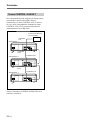
Connecting VCRs in series
With the following connection, you can perform a
series recording.
Video camera
VCR 1
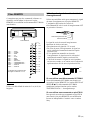
Basic connections
to VIDEO/
AUDIO IN
With the following connections, you can monitor the
picture and sound.
to SERIES
REC OUT
Video camera, etc.
to VIDEO OUT
VCR 2
to SERIES
REC IN
to GND
to GND
to AUDIO
OUT
to AUDIO IN
to VIDEO/
AUDIO
OUT
to VIDEO/
AUDIO IN
to SERIES
REC OUT
to VIDEO IN
VCR 3
to SERIES
REC IN
to GND
to VIDEO/
AUDIO
OUT
to GND
to VIDEO/
AUDIO IN
to AC IN
to a wall outlet
to AUDIO
OUT
Audio cable
(not supplied)
to VIDEO
OUT
to SERIES
REC OUT
Video cable
(not supplied)
VCR 4
to AUDIO IN
to SERIES
REC IN
to GND
to VIDEO/
AUDIO
OUT
to GND
to VIDEO IN
to VIDEO/
AUDIO IN
to VIDEO/
AUDIO
OUT
Monitor
to VIDEO/
AUDIO IN
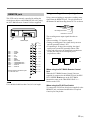
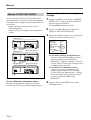
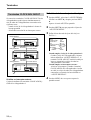
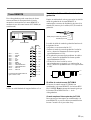
Use of BNC connector
Monitor
Align pin with cutout, insert and
turn right to lock.
To remove, turn left and pull out.
8 (US)
For operation of the series recording, see page 22(US).