1
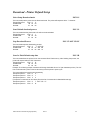
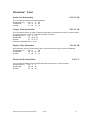
Print Logo
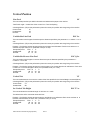
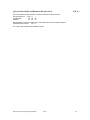
ESC L g n
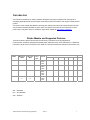
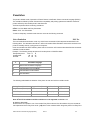
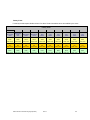
This command prints a logo previously store in memory. The parameter n instructs the printer to print the graphic
stored in memory locations (refer to table above for logo location availability)
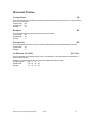
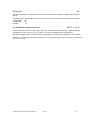
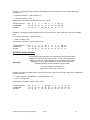
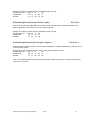
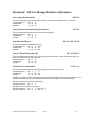
Example 1: The following escape sequence will print the logo at memory location one.
Escape Sequence:
ESC L
g
1
Hexadecimal:
1B 4C 67 31
Decimal:
27 76 103 49
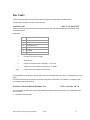
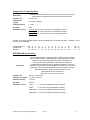
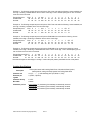
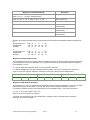
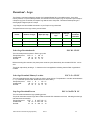
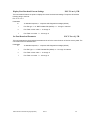
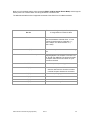
Example 2: The following example replaces logo location 1 with the logo image contained in logo.prn file.
The following escape commands must be sent sequentially and are necessary to complete logo download.
Escape sequence 1: ESC D
Escape sequence 2: ESC L
Escape sequence 3:logo.prn file
Escape sequence 4: ESC L
Escape sequence 5: ESC L
L
G
CR LF
1 CR
G 0xFF CR
g
1
LF
LF
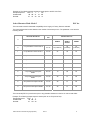
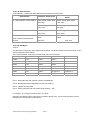
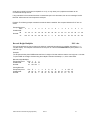
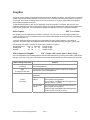
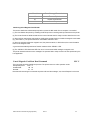
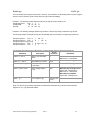
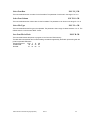
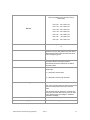
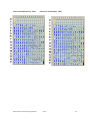
The following table represents the LED behavior for each Escape sequence during logo download.
Printer
LED Status
Command
Description
Response
ESC D L CR LF
Select Logo Download
Mode
?
Power LED - Flashing Green
MRC & Error – Steady Red
ESC L G n CR LF
Select Memory Location
none
Power LED - Flashing green
Send Graphic Logo File
Send a Binary file with the
Logo image
none
Power LED - Flashing green
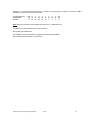
ESC L G 0xFF CR LF
Stop Loading Graphic
Logo
D!X
While the logo is being burned
Power LED – Steady Green
MRC & Error – Steady Red
When Burning complete
Power LED – Steady Green
ESC L g n
Print Graphic Logo
Printer Prints
Logo n
none
Note: The above logo download commands are intended for Developers only. Please contact Customer
Support for any Logo Download Utilities.
Extech Printer Command Language (ExPCL)
Rev H
46