1
SD-AT50
DX-AT50
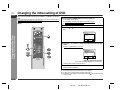
Changing the initial setting of DVD (continued)
ENGLISH
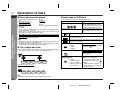
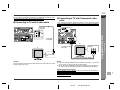
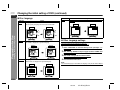
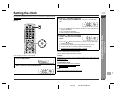
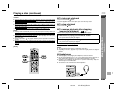
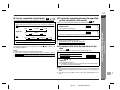
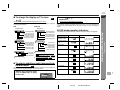
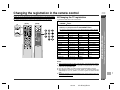
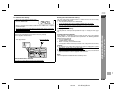
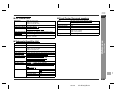
" Disc language
Indicator
AUDIO
Setting
A language for audio can be set.
You can specify a language for conversation and narration.
English
ou
nk y
Preparation for Use
- Changing the initial setting of DVD -
Thank you
French
LARDING
CHARGEMENT
ci
Mer
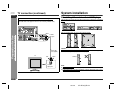
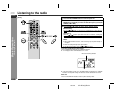
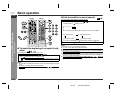
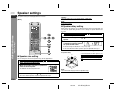
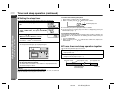
A language for subtitle can be set.
The subtitle is displayed in a specified language.
English
Setting
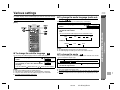
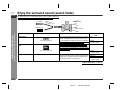
A language for screen display can be set, such as initial settings or
messages.
English
French
Tha
SUBTITLE
Indicator
PLAYER
MENU
French
Merci
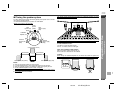
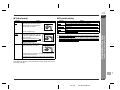
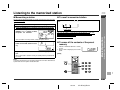
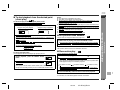
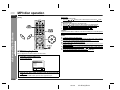
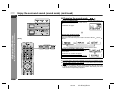
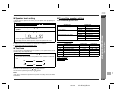
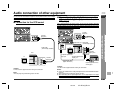
" Other language settings
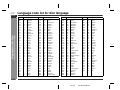
You can set the "OTHER" language for audio, subtitle, and disc menu. (Refer to
"Language code list for disc language" on page 23.)
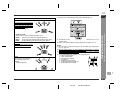
Example: to select 5464 (Croatian) as an audio language
1
Select "LANGUAGE" on the initial setting screen. (See steps 1 - 3
on page 19.)
2
After selecting "AUDIO" in step 4 on page 19, select "OTHER" and
press the ENT button.
3
Enter "5464" using the direct number buttons.
"5464 (HR)" will be displayed on the TV screen.
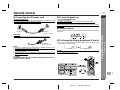
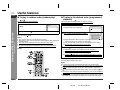
DISC MENU
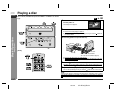
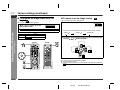
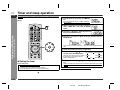
A language for disc menus can be set.
Menu screens are displayed in a specified language.
4
Press the SETUP DVD button.
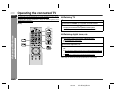
Note:
English
French
CAST
ACTEURS
STAFF
PERSONNEL
If the selected language is not recorded, the language set by the disc will be adopted.
E-21
02/7/19
SD-AT50(U)E3.fm