Download Multitech RF825-E-AP User guide
Transcript
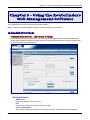
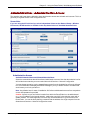
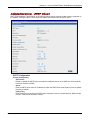
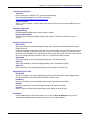
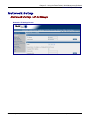
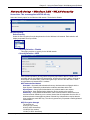
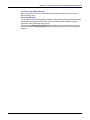
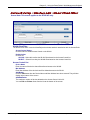
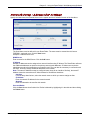
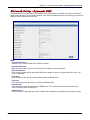
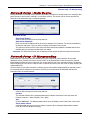
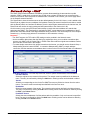
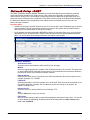
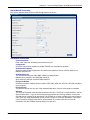
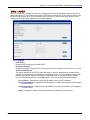
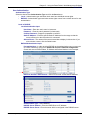
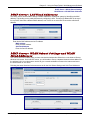
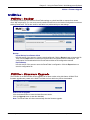
Chapter 5 – Using the RouteFinder's Web Management Software Network Setup > Static Routes Network Setup > IP Masquerading Network Setup > Static Routes Routing information is used by every computer connected to a network to identify whether it is sending a data packet directly to the firewall or passing it on to another network. This screen can be used to describe the networks to be reached through a configured gateway. Add Static Routes Static Route Network Select a defined network from the drop down list. Static Route Gateway IP Enter the external IP address which will act as a gateway for this network. The entries are added by clicking the Add button. The entry will then display at the bottom of the screen. The options to Delete or Edit a route after it has been defined and added are available will become available after the network and Gateway IP are added. Important: The Static Route screen will not display until the network is defined in Networks & Services. Network Setup > IP Masquerading Masquerading is a process that allows attaching of private networks to public networks. Since private addresses are not routed to the Internet, a source NAT on the RouteFinder’s external interface is required. Masquerading enables the user to enter only one source network. Also, if the external interface’s IP address keeps changing (as in the case of a DHCP client or PPPoE connections) the user need not keep changing the masquerading rule. On this screen you can select networks or network groups to be masked. Masquerading is especially useful for connecting private networks to the Internet. It allows you to hide internal IP addresses and network information from the outside network. Networks Select a defined network from the drop down list. Interface The selected Network will be masqueraded with the interface selected from this drop down list. Example: network1 > WAN; Defaults: LAN > WAN Add Click the Add button. The Masqueraded network route will display on the bottom part of the screen. Edit or Delete a Route A Masqueraded network route can be edited or deleted. When deleting a Masqueraded network route, the interface adapts accordingly. Multi-Tech Systems, Inc. RouteFinder RF825/RF825-AP User Guide (Document Number S000422B) 60